Thursday, April 22, 2010

For Your Kindle Library

Originally posted April 22, 2010 by Cindy O'Neal

Amazon has some of the best collections around, a must have for any well rounded library.

Note: If you are reading this on your Kindle and want to get a book from the Kindle store now, type in the title, then toggle your 5-way switch to the right until store is highlighted. Press in on it to search. When the title comes up, make sure it is  an acceptable price before finally pressing in on the 5-way switch to purchase it. You can always press the back button (before you press buy) if you change your mind. 


Product Details
Works of Alexandre Dumas. Incl: The Three Musketeers, Louise de la Valliere The Vicomte de Bragelonne, Man in the Iron Mask, The Count of Monte Cristo, ... Black Tulip, Chicot the Jester & more (mobi) by Alexandre Dumas (Kindle Edition - Oct. 18, 2007) - Kindle Book
Auto-delivered wirelessly

Product Description (from Amazon)
This collection was designed for optimal navigation on Kindle and other electronic devices. It is indexed alphabetically, chronologically and by category, making it easier to access individual books, stories and poems. This collection offers lower price, the convenience of a one-time download, and it reduces the clutter in your digital library. All books included in this collection feature a hyperlinked table of contents and footnotes. The collection is complimented by an author biography.

From me: Oh My! The movies were great in their time, but these... Oh My!


Works of Baroness Emmuska Orczy. Incl: The Scarlet Pimpernel, The Old Man In the Corner, Lady Molly of Scotland Yard, The League of the Scarlet Pimpernel, ... of the Sparrowhawk, El Dorado & more (mobi) (Kindle Edition)by Baroness Emmuska Orczy (Author)
Kindle Price: $4.79

Product Description (from Amazon):
This collection was designed for optimal navigation on Kindle and other electronic devices. It is indexed alphabetically, chronologically and by category, making it easier to access individual books, stories and poems. This collection offers lower price, the convenience of a one-time download, and it reduces the clutter in your digital library. All books included in this collection feature a hyperlinked table of contents and footnotes. The collection is complimented by an author biography.

From me: If you love the traditional swashbuckler, you can't do much better than the Scarlet Pimpernel. I had no idea this lady was so prolific. This is a wonderful collection and will keep you enthralled for a while!

Wednesday, April 21, 2010

Kindle Skills

Originally posted April 21, 2010 by Cindy O'Neal

2 click access to Manage Your Kindle
If you have Kindle for PC or Mac installed, you don't have to wade through all the account menus (or remember how) to get to the Manage Your Kindle area on Amazon.

On a Mac:
With Kindle for Mac open, click the word Actions at the top of the main screen.
Click the words Manage Your Kindle
You will need to put in your password for your Amazon account, but you will be as good as there.

On a PC:
Click the little down arrow to the right of the Menu button (towards the top right of Kindle for PC window)
Single left click the words Manage Your Kindle. You may need to enter the password for your Amazon account, but you will be as good as there.

A great reason to have Kindle for PC or Mac on your computer.

Manybooks.net Always Free

Originally posted April 21, 2010 by Cindy O'Neal

Special Delivery

Published: 1954
Language: English
Wordcount: 7,788 / 30 pg
Downloads: 62
Added to site: 2010.04.17
mnybks.net#: 27373
Origin: gutenberg.org
Genres: Short Story, Science Fiction, Post-1930
All Len had to hear was the old gag: "We've never lost a father yet." His child was not even born and it was thoroughly unbearable!

Tuesday, April 20, 2010

Wiki Search

Originally posted April 20, 2010 by Cindy O'Neal

Want to find all the books in order in a series?
Do a Wiki search for the author.
  • From either the Home screen or the screen in a current book, type the name of the author you are interested in.
  • Toggle the 5-way switch until wikipedia is highlighted.
  • Press in on the 5-way to search. Since the Kindle can connect to the Internet just about anywhere, you can search any time you want, even if you are on a road trip...if someone else is driving of course.
  • If it is a relatively known author, they should have a Wiki page dedicated to them, with a bibliography section containing any series books they have written in the order they appear.
  • Write them down if you want, or press the Menu button and bookmark the page for future reference.
Then you can return to the Home screen on your Kindle and type the title of the next book in the series you are interested in. Toggle the 5-way switch to the word store until it is highlighted. Press in on the 5-way to search the Kindle store for your new treasure. You can even purchase it - if it is available and the price is right.

Monday, April 19, 2010

Free on Amazon Today


Originally posted April 19, 2010 by Cindy O'Neal

Note: If you are reading this on your Kindle and want to get a book from the Kindle store now, type in the title, then toggle your 5-way switch to the right until store is highlighted. Press in on it to search. When the title comes up, make sure it is still free (or an acceptable price) before finally pressing in on the 5-way switch to "buy" it. You can always press the back button (before you press buy) if you change your mind. 

And remember... what is FREE today may not be FREE tomorrow, so get it while you can!

Living Organized: Proven Steps for a Clutter-Free and Beautiful Home (Kindle Edition)
by Sandra Felton (Author)
Kindle Price: $0.00 & includes wireless delivery via Amazon Whispernet

Product Description (from Amazon):
The Organizer Lady™ makes it easy for readers to develop strategies for mess-free living. Author of the best-selling Messies Manual, Sandra Felton shares her insight on the best ways to bring out the hidden beauty in messy houses. Included in this comprehensive guide to "cleaner living" are 100 little-known housekeeping tips, inspiring testimonies from recovering Messies, strategies for living with a disorganized people, and action plans to help win the clutter war. With enthusiasm and humor, Felton makes housekeeping easier and less overwhelming for the organizationally challenged.
From the Back Cover:
Develop strategies for mess-free living! Everyone wants a beautiful home--one that welcomes visitors gracefully and provides a sanctuary from the hustle and bustle of everyday life. But as we go through life we acquire all sorts of stuff that clutters up our lives and our houses. And a beautiful home is just not possible if every nook and cranny is considered fair game for storage! Now you can win the clutter war. Sandra Felton, The Organizer Lady, shares her insight on the best ways to bring out the hidden beauty in messy houses. She makes housekeeping less overwhelming for the organizationally challenged with -interior design tips -inspiring stories from the organizing trenches -advice for coping with a messy spouse or child Don't settle for a messy house. Learn the strategies you need to get organized and stay organized. Who knows? The house of your dreams could be right under your nose.

Kindle Skills

Originally posted April 19, 2010 by Cindy O'Neal

Quick Web Searching
  • From the Home screen, type what you are looking for. Be as concise as possible.
  • Toggle the 5-way switch to the right until you see Google highlighted.
  • Press in on the 5 way to make it happen.
  • Use the 5-way switch to go down or up until what you want is underlined. Press in to make it happen.
Quick Web Access
  • From the Home screen, type in the web address you want to go to. There is no need to type http:// ... the browser is smart enough to take care of that for you.
  • Toggle the 5-way switch to the right until you see go to highlighted.
  • Press in on the 5-way to make it happen
  • At any time while on a web page, click the Menu button to see other options, like Bookmarks, Bookmark This Page, History, Settings or to change from Basic to Advanced mode.
  • Press the Home button at any time to return to your normal home page with your books listed.
No need to press the Menu button from the Home screen and go to the Experimental area to access the Basic Web functions. You will already be where you need to be.

To clear the browser cache
  • When you are on a web page, press the Menu button.
  • Toggle the 5-way down until the word Settings is underlined.
  • Press in on the 5-way to get to the Settings area
  • Toggle to what you want to do. In this case Clear Cache.
  • Press in on the 5-way switch to make it happen.

Sunday, April 18, 2010

Wiki Search

Albert Einstein

Wikipedia Kindle Search:
Make sure your Kindle is connected to the Internet. Type in the name or words you want to search. Search terms are not case sensitive but spelling is important. Toggle the 5-way button to the right until Wikipedia is highlighted. Press in on the 5-way to make it happen.  Happy reading!

Kindle Skills

Originally posted April 18, 2010 by Cindy O'Neal

Delete or Remove from Device?
Toggle the 5 way switch to any book listed on your Home screen on your Kindle. When you have one underlined (selected), toggle the switch once to the left to see what choices there are. If the choice is Remove from Device, it is a book you purchased from Amazon. Choosing to remove it will only remove it from your Kindle. There will always be a copy stored in the Manage Your Kindle area of your account on Amazon. You can have it sent back to that Kindle (or any of your other devices) any time you want. To make the choice happen, press in on the 5-way switch.


If you are viewing a list of books from the Home screen of your Kindle for PC or Mac, right click (control click for Mac) to see the same choices. Remove from Device lets you know it is a book you purchased from Amazon and a copy is stored in your account area. A single left click (or click for Mac) will make what you choose happen.

If you see the words Delete this Book as an option, this means if you choose it, the book will actually be deleted from your device. It is not a book purchased from Amazon, but either a personal file or a book obtained from another source (like Manybooks.net). Amazon has no way of keeping track of these books for you, so if you choose to delete one, make sure you have a copy on your computer or another drive so you can find it if you ever want to put it on one of your devices again.

Manybooks.net - Always Free

Originally posted April 18, 2010 by Cindy O'Neal


The Innocence of Father Brown
Published: 1911
Language: English
Wordcount: 78,686 / 220 pg
Series: Queen's Quorum
Downloads: 3,140
mnybks.net#: 1682
Genres: Mystery/Detective, Short Story Collection
Twelve mysteries featuring Father Brown, the short, stumpy Catholic priest with "uncanny insight into human evil."

manybooks.net tip: go to mnybks.net on your kindle instead of spelling it completely out. This is the mobile version and formatted much better for small devices like your Kindle or iTouch.  I have a link set up in this paragraph just so you can give it a try with your Kindle. Enjoy!

Instant refresher:How to download a book file from manybooks.net and how to get it to your Kindle.
Downloading 101 - Firefox
Downloading 101 - Internet Explorer
Kindle File Management

Saturday, April 17, 2010

Kindle Skills

originally posted April 17, 2010 by Cindy O'Neal


Manage Your Kindle
If you have a Kindle, and the Kindle for PC software installed, and perhaps an iTouch with the Kindle software installed on that, you have what is commonly referred to as Multiple Kindles. When you are browsing with your "real" Kindle and purchase a book, it will automatically be sent to the Kindle in your hand. You may be browsing the Kindle store with your computer and you purchase a book.  Just before you click the final button to actually purchase it, you have a choice of which "Kindle" you want to send it to.

That's right. Each of your Kindles has its own name, making it very easy to distinguish one from another. Your books, once purchased, can be sent to any of your Kindles by going to your account from the main Amazon screen on your computer. Click the words Your Account at the top right of the main Amazon page in your Internet browser. You will probably have to sign in again (so they know it is really you) to get to the account area.

Once there, scroll down a bit to the Digital Content area and click where it says Manage your Kindle. This is a great page. You can see each of your "Kindles" lined up and the name for each. Look to the right of each for the words (and a link to) Edit Info.This is where you can change the name of your Kindle, and change the first part of the email address if you don't like the one assigned by default. You cannot change the @kindle.com part.

Scroll down a bit more until you see Your Active Kindle Subscriptions.  This is where any periodicals, or blogs will be listed. You can only view blogs or magazine or newspaper subscriptions on one Kindle at a time, but in this area you can change which Kindle they go to any time you want. 

Scroll down towards the bottom to the Your Orders area. This is where all the Kindle books you have purchased are listed. To the right of each listed book is a Deliver to... drop down box. Click the little arrows so your choices appear. You will see each one of your "Kindles" listed. To send a book to any of them, click on the name of the Kindle you want to send the book to.

The Transfer via computer option is so you can download the book to your computer (like to your desktop), then you can transfer the actual file via USB cable to your Kindle. Actually, as fast as Whispernet is, I really prefer just letting Amazon send those files straight to my Kindle. It is very quick letting Amazon send the files to your iPod or Mac or PC too. Usually your PC or Mac is connected to the Internet, so the transfer is almost instant. My iTouch connects via my home wifi network so it receives books sent from Amazon very quickly too. About all I have to do is turn the thing on.

Friday, April 16, 2010

Kindle Skills

Originally posted April 16, 2010 by Cindy O'Neal

The Menu Button is good for lots of things:

See the time - Press MENU button
How much free memory (space)? - Press MENU button
What kind of wireless is available? - Press MENU button (a 3G or 1X symbol will appear next to the signal strength bars when the wireless is on)

Up for a game?
Play Minesweeper on your Kindle.
From the Home screen, press Alt+Shift+M together (note: the shift key is the up arrow next to the Alt key on the left side of the bottom row of the Kindle keyboard)

Wiki Search
Mickey Rooney
What an interesting life!

Wikipedia Kindle Search:Make sure your Kindle is connected to the Internet. Type in the name or words you want to search. Search terms are not case sensitive but spelling is important. Toggle the 5-way button to the right until Wikipedia is highlighted. Press in on the 5-way to make it happen. Happy Reading!

Manybooks.net Always Free

Originally posted April 16, 2010 by Cindy O'Neal

Cover image for ManyBooks.net - Free eBooks for your iPad, 
smartphone, or eBook readerBlue Aloes
Stories of South Africa
Cynthia Stockley
No writer can so unfailingly summons and materialize the spirit of the weird, mysterious South Africa as can Cynthia Stockley. She is a favored medium through whom the great Dark Continent its tales unfolds.

A strange story is this, of a Karoo farm,--a hedge of Blue Aloes, a cactus of fantastic beauty, which shelters a myriad of creeping things,--a whisper and a summons in the dead of the night,--an odor of death and the old.

Cover image for ManyBooks.net - Free eBooks for your iPad, 
smartphone, or eBook readerThe Mysterious Affair at Styles
Agatha Christie
Featuring the first appearance of Hercule Poirot.

In the midst of World War I, the residents of Styles wake one morning to find Emily Inglethorpe has been fatally poisoned. Captain Hastings, staying with the family, enlists the help of his old friend, Belgian detective Hercule Poirot. With the evidence mounting against one member of the family, Poirot uses his unique deductive technique to prove who really killed Emily.

Thursday, April 15, 2010

Free on Amazon Today

originally posted April 15, 2010 by Cindy O'Neal

Note: If you are reading this on your Kindle and want to get a book from the Kindle store now, type in the title, then toggle your 5-way switch to the right until store is highlighted. Press in on it to search. When the title comes up, make sure it is still free (or an acceptable price) before finally pressing in on the 5-way switch to "buy" it. You can always press the back button (before you press buy) if you change your mind. 

And remember... what is FREE today may not be FREE tomorrow, so get it while you can!

by James L. Rubart
Kindle Price: $0.00 
Auto-delivered wirelessly to Kindle.

Product Description:
On a rainy spring day in Seattle, young software tycoon Micah Taylor receives a cryptic, twenty-five-year-old letter from a great uncle he never knew. It claims a home awaits him on the Oregon coast that will turn his world inside out. Suspecting a prank, Micah arrives at Cannon Beach to discover a stunning, brand new nine-thousand square foot house. And after meeting Sarah Sabin at a nearby ice cream shop, he has two reasons to visit the beach every weekend. When bizarre things start happening in the rooms of the home, Micah suspects they have some connection to his enigmatic new friend, Rick, the town mechanic. But Rick will only say the house is spiritual. This unnerves Micah because his faith slipped away like the tide years ago, and he wants to keep it that way. But as he slowly discovers, the home isn't just spiritual, it's a physical manifestation of his soul, which God uses to heal Micah's darkest wounds and lead him into an astonishing new destiny.

Great Browsing

Originally posted April 15, 2010 by Cindy O'Neal

With the Home screen showing on your Kindle, type the word mobi. Toggle the 5-way switch until store is highlighted, then press in on it. The results will be free (or darn near), and some of the best collections you will ever find. Enjoy! My favorite at the moment are the original Tarzan books by Edgar Rice Burroughs. I found his complete works and am going through them one right after another. Now that's a HERO!

Why Read Older (Public Domain) Books?
  • Because they are good for you.
  • Because many are free (or practically)
  • Because they aren't teaching English in the public schools. The evidence is there whenever a teenager opens his/her mouth unfortunately.
  • Kindle has a built in dictionary for unfamiliar words. Your vocabulary will thank you!
  • Reading a classic is an education in itself, and a wonderful way to escape to another (sometimes but not necessarily kinder) world.
  • There is every genre you can imagine available, including some you may never have heard of.
  • As your reading vocabulary grows, your speaking will noticeably improve, along with your confidence.
  • You will find more intelligent people read for recreation. See for yourself. It is an amazing phenomenon.
  • There really is something for everyone.
  • You will make those publishers (who insist on inflating the prices on their books unfairly) crazy wondering why no one wants their stuff. Don't they understand? There is a lot of really great stuff available to read and keep us busy a long time.

Wednesday, April 14, 2010

Search By Price on Amazon

Originally posted April 14, 2010 by Cindy O'Neal


Sort a search by price in the Kindle book store with your computer.

  • On the left of the main Amazon window under Shop all Departments, click the word Kindle, then Books. This will put you in the book department.
  • Still in the left column, look for (and click) the genre you want to search (History, Romance, etc)
  • You will see a beginning list of books on the right main side of the web page, with a sorting box toward the top.
  • Click the little arrow pointing down to the right of the words Sort by
  • Choose Price: Low to High
  • You can also sort your search by price when you are looking for a particular author. Try doing a search for Mark Twain in the Kindle Store and sort by price.
And there you go!  You should have many pages of grazing and browsing fun!

Tuesday, April 13, 2010

Kindle Skills

Originally posted April 13, 2010 by Cindy O'Neal

If Dragging and Dropping files is a bit much, here is another way to physically transfer files from your computer to your Kindle.


Copy and Paste...
You still need to know where your files are. Make sure you know (and can see) the file on your computer. It might be a .txt file or a .mobi file you downloaded from manybooks.net. Right click on the file (if you are using a Mac, control+click) and choose Copy. It won't feel or look as though a thing has happened. Don't worry (trust me).

Connect your Kindle with the USB cable to your computer. Wait a few seconds until you see a small window appear with choices. Choose to view folders with Explorer. When you see the folders on your Kindle, double click on the Documents folder to open it.

Here's where the magic happens... Right click any white area inside the Documents folder. Choose (single left click) Paste. And voila! *that's FRENCH for OMG! you should see your book file appear in your Documents folder contents.

View Details...When you have the Documents folder of your Kindle open, you may see your files listed as icons. You can change this to a more readable view if you like. Click the word View at the top of the window, then click the word Details. This will cause your files to be listed straight up and down, in nice alphabetical order. Take a good look at this window while you have your mouse nice and handy. This is a great learning opportunity. See how the files are lined up with the information in columns? Move your mouse pointer to the Date column (at the top where the word describing the column is) and left click once in that top header area. Notice how your files are now listed by date order. Click the same header area again and you should see the files reorganize by date again, only reversed. Do this with the Name column and see your files instantly organized by file name alphabetically (and reverse alphabetically). You will love the detail view!

Monday, April 12, 2010

Free on Amazon Today

originally posted April 12, 2010 by Cindy O'Neal

Note: If you are reading this on your Kindle and want to get a book from the Kindle store now, type in the title, then toggle your 5-way switch to the right until store is highlighted. Press in on it to search. When the title comes up, make sure it is still free (or an acceptable price) before finally pressing in on the 5-way switch to "buy" it. You can always press the back button
(before you press buy) if you change your mind. 

And remember... what is FREE today may not be FREE tomorrow, so get it while you can!
If the publishers want to play with raising prices for any length of time, you will have plenty of free books to keep you busy until they come to their senses!


The Incumbent (Kindle Edition)
by Alton Gansky (Author)
Kindle Price: $0.00 & includes wireless delivery via Amazon Whispernet

Product Description
An abduction-a trail of disturbing clues-Politics are about to become deadly.As the controversial mayor of the beautiful coastal community of Santa Rita, Madison -Maddy- Glenn likes to face things head-on. But nothing can prepare her for a hostile visit from the chief of police-or his terrible news. Lisa Truccoli, Maddy-s friend and the treasurer of her last campaign, has been kidnapped. All that remains at the crime scene is a shocking clue-with Maddy-s name on it.The ensuing hunt for answers only turns up more sinister clues in a terrifying game the abductor wants to play-with Maddy. Caught between a haunting past and a dangerous present, Maddy finds the walls that keep her from faith beginning to crumble.The stakes turn lethal with a second abduction and a clue that reveals inside information about Maddy-s run for Congress-a decision she has not made yet. Someone is going to dangerous lengths to make the choice for her-but it is a choice she-ll survive?
From the Back Cover
An abduction…a trail of disturbing clues… Politics are about to become deadly. As the controversial mayor of the beautiful coastal community of Santa Rita, Madison "Maddy" Glenn likes to face things head-on. But nothing can prepare her for a hostile visit from the chief of police—or his terrible news. Lisa Truccoli, Maddy’s friend and the treasurer of her last campaign, has been kidnapped. All that remains at the crime scene is a shocking clue…with Maddy’s name on it.
The ensuing hunt for answers only turns up more sinister clues in a terrifying game the abductor wants to play…with Maddy. Caught between a haunting past and a dangerous present, Maddy finds the walls that keep her from faith beginning to crumble.
The stakes turn lethal with a second abduction and a clue that reveals inside information about Maddy’s run for Congress—a decision she has not made yet. Someone is going to dangerous lengths to make the choice for her…but it is a choice she’ll survive?

Product Details
Farraday Road by Ace Collins (Kindle Edition - Jan. 1, 2009) - Kindle Book
Kindle Price: $0.00
Auto-delivered wirelessly

From Publishers Weekly
This suspense novel from Collins, author of more than 60 books, packs a wallop in the foothills of the Ozarks, although the lightning-fast pace, despite many plot twists, has an ending that leaves too much unresolved mystery. When a tranquil evening at a fund-raiser ends in a horrible murder, the victim's husband, Elijah Evans, and Det. Diana Curtis discover evidence from a cold case that may free an innocent man on death row—if they don't get killed or foiled by the politician and attorney general who put him there. Dialogue is curiously understated—as Elijah ducks bullets, he says, I'm starting to get mad. I'm tired of being used for target practice. Yet description is vivid and even graphic for a Christian novel, and Collins creates a wide range of peculiar characters. Suspense plays well, but Collins sometimes cashes in his chips too soon rather than building the tension over time. While flawed, this morality tale is a robust offering to the growing genre of Christian suspense. (Oct.)
Copyright © Reed Business Information, a division of Reed Elsevier Inc. All rights reserved.
Product Description
It's just another quiet evening out for Lije and Kaitlyn Evans. But somewhere along the way, it becomes something more sinister and a murder takes place. In the aftermath, a small-town attorney sets out to find his wife-s killers and uncovers a deadly conspiracy. A suspenseful mystery with a twist of faith.

Kindle Skills

Originally posted April 12, 2010 by Cindy O'Neal

Drag and Drop: 
It is one of the more important skills you will develop and should get easier the longer you use a computer. It does involve a little hand-eye coordination and if you need to practice until you get it right, you will thank yourself for honing this particular skill. I don't know why things like this come easier to some and make others absolutely miserable. Hopefully this (and future) tutorials will help.

Dragging and Dropping is how something is moved (or copied) from one place to another on a computer. It means you Click on something (could be a file, shortcut icon, etc) and while holding the left mouse button down (Click and hold), Drag the item to the new location. The secret is to NOT let go of the left mouse button until you are sure the file is where you want it to be. When you release the left mouse button, the deed is as good as done.

The books you purchase for your Kindle in the Amazon store end up in the Documents folder on the Kindle. If you download a file (doesn't matter where from), you need to know where your file ends up because you will need to be able to find it, click on it, and drag it to that Documents folder.

If you are dragging a file to a folder, look for the folder to visually change (usually color) to indicate you are in the right spot. Until you see the visual cue, keep your finger on that button, because if you let it go, there's no telling where the file can end up. This is a skill that takes practice. It will help if you can be comfortable dragging and positioning multiple windows too. At times, when there are several folders, and the possibility to miss and end up in the wrong one is high, it is easier to position the two windows close to each other, but where you can see them both, then open the folder on the one you want to drag the file to... then from the other folder, click the file and drag  it to the title bar of the receiving folder. When you let go of the file, it will go into the opened folder via the title bar. You can't miss. The title bar of any window is the top bar where the main controls are (the x and minimize buttons) and covers the entire length of the window. If you place a mouse pointer anywhere in the middle of this title bar, you can drag it anywhere to reposition it, as long as it is not filling the screen. If it is, and you can't move it, double click in the middle of that title bar and it will make it moveable and resizeable.

If you make a mistake and let go of the mouse button and realize your file isn't where it should be, the next thing is to find where it is. This could be interesting, if not impossible...a reason not to drink while dragging and dropping. The easiest way out of this little fix is to right click any empty area in the general vicinity of the accident and see if undo move or undo copy is an option. If it is, you are in luck. Click it and your file will be back in its original place. Another thing you can do is an emergency CTRL+Z, which is the keyboard command to undo, and pretty much always will undo the last screwup you have made (if you remember to do it quickly enough).

Copying or Moving?
If you are left clicking and dragging a file from one hard drive to another, the file will automatically copy when you let go of the left mouse button. If you right click and hold and drag, you will have a choice to either move or copy the file when you reach your destination and let go of the mouse button.

Mac Mouses?
Hey... Macs have mouses too, but with only one button. Clicking and holding and dragging is the same on a Mac. The single button is the same as a left mouse button for a PC user. To see choices, press the CTRL (control) key when you click something. When you let go of the mouse button you will see choices. Click on what you want to happen. Other than the control key for choices when you click, things are pretty much the same. When you drag a file from one folder to another on the same hard drive, it will automatically be moved. Anything going to another hard drive (like from your Mac to your Kindle) will be copied. The original will still be where it was to begin with. If you want to copy something rather than move it from one folder to the other on the same hard drive, hold down the command key when you are dragging it. The original will be left where it is and a nice neat copy will appear where you drag.

Macs have Undo also.
Yes they do. The keyboard command to undo the last silly thing you did on a Mac is command+z.

About Undoing
Now just because you know how to undo something, it doesn't mean it is an unlimited option. Some programs let you undo quite a few times, literally letting you step back to the beginning of whatever you are working on. It is best not to count on it though. You never know when, for one reason or another, it just won't work, and then you are up a creek with the proverbial paddle. Best to just be grateful when it does work.

Sunday, April 11, 2010

Manybooks.net Always Free

Originally posted April 11, 2010 by Cindy O'Neal

Bob Hampton of Placer
Randall Parrish
Cover image for ManyBooks.net - Free eBooks for your iPad, 
smartphone, or eBook readerWhy did Bob Hampton refuse to let his ward fall in love with Lieutenant Brant? Why did he have to live in the underworld, and to be known by an assumed name? Why does he make a living by gambling and a reputation by quickness with a revolver? And why, in spite of all this, do the reader's sympathy and admiration go to him at once, and stay with him to the end? Because he is the hero we all like, brave, sure quiet, well-bred, and because we fell that somehow he must be all right, and his punishment undeserved.

Mr. Britling Sees It Through
H.G. Wells
Cover image for ManyBooks.net - Free eBooks for your iPad, 
smartphone, or eBook readerFor Mr Britling, eccentric and vivacious writer, the summer of 1914 consisted of long, hot days and luxurious house parties with a host of international guests to entertain him. And when he tired of this, he hopped across the channel where his devoted mistress was patiently waiting. But all this was about to change as Germany began marching into Belgium and Europe no longer provided the easy diversion he had so enjoyed. Mr Britling soon came to realise that this war was more than simply an inconvenience, and was a dangerous threat to those he loved. But all he could do was sit at home and wait. (Number one best selling novel of 1917.)
Cover image for ManyBooks.net - Free eBooks for your iPad, 
smartphone, or eBook readerUnder Cover
Roi Cooper Megrue
A young woman, desperate to save her smuggler sister, joins the United States customs secret service.


Instant refresher:How to download a book file from manybooks.net and how to get it to your Kindle.
Downloading 101 - Firefox
Downloading 101 - Internet Explorer
Kindle File Management

Saturday, April 10, 2010

Kindle Skills

Originally posted April 10, 2010 by Cindy O'Neal
File Extensions: The Adult View
 
Windows hides File Extensions by default. File Extensions are the three letters after the dot at the end of any file name and are used to let your computer know what type of file it is. For example, if it is a .jpg file, your computer knows it is an image file. If it is an .exe file, your computer knows it is a program.

If YOU can't see those file extensions, how are you supposed to know what kind of file you are looking at? Well, you could learn to identify the icons, but some files have generic icons and it is hard to tell. Set your computer up so you can see your file extensions. In Windows XP, Vista or Windows 7, click the Start button. Move the mouse pointer up to Computer or My Computer (Computer in Vista and Windows 7), right click and choose Explore (choose Open - Windows 7). At the top of the next window, click the word Tools, then Folder Options. Click the View tab and scroll until you see Hide extensions for known file types. Uncheck the box to the left. Click OK and you will be able to see your extensions from now on...The Adult View.

It is very important to not change file extensions unless you have a very good reason. Changing the extension can (and usually does) make the file unusable.
Common File Extensions:
.txt - text files
.doc - Word Document
.rtf - Rich Text format (a little fancier than plain text)
.jpg - image file (could be a photo)

File types (extensions) your Kindle likes:
.azw (native Kindle file)
.txt
.mobi
.prc
.pdb
.pdf (not as pretty as it would be on your computer screen, but viewable)

Friday, April 09, 2010

Free on Amazon Today

originally posted April 9, 2010 by Cindy O'Neal

Note: If you are reading this on your Kindle and want to get a book from the Kindle store now, type in the title, then toggle your 5-way switch to the right until store is highlighted. Press in on it to search. When the title comes up, make sure it is still free (or an acceptable price) before finally pressing in on the 5-way switch to "buy" it. You can always press the back button
(before you press buy) if you change your mind. 

And remember... what is FREE today may not be FREE tomorrow, so get it while you can!
If the publishers want to play with raising prices for any length of time, you will have plenty of free books to keep you busy until they come to their senses!

by Melissa Marr
Kindle Price: $0.00
Auto-delivered wirelessly to Kindle.

Product Description (from Amazon)
Read the New York Times bestseller that started Melissa Marr's enchanting tales of Faerie for free! don't miss the sneak peak at the upcoming RADIANT SHADOWS!
Rule #3: Don't stare at invisible faeries.
Aislinn has always seen faeries. Powerful and dangerous, they walk hidden in mortal world. Aislinn fears their cruelty-especially if they learn of her Sight-and wishes she were as blind to their presence as other teens.
Rule #2: Don't speak to invisible faeries.
Now faeries are stalking her. One of them, Keenan, who is equal parts terrifying and alluring, is trying to talk to her, asking questions Aislinn is afraid to answer.
Rule #1: Don't ever attract their attention.
But it's too late. Keenan is the Summer King who has sought his queen for nine centuries. Without her, summer itself will perish. He is determined that Aislinn will become the Summer Queen at any cost-regardless of her plans or desires.
Suddenly none of the rules that have kept Aislinn safe are working anymore, and everything is on the line: her freedom; her best friend, Seth; her life; everything.
Faerie intrigue, mortal love, and the clash of ancient rules and modern expectations swirl together in Melissa Marr's stunning 21st century faery tale.

New Kindle Covers

Originally posted April 9, 2010 by Cindy O'Neal

I finally broke down and purchased new leather covers for my Kindle DX and Kindle 2. I figured since I wasn't going to be spending a fortune on a new iPad (not until they support Flash in their browser). Anyhow, the new covers are gorgeous! The DX is sporting a brown M-Edge Platform Jacket. It can be positioned as a book stand when it isn't covering the Kindle. Very nice! The Kindle 2 has a red (can't believe I got that color but I love it) leather, more traditional M-Edge cover (called a GO Jacket). It is very rich looking, has the little hinges for a more secure seating of the Kindle in the cover, as well as two little corner straps to further secure the Kindle in the jacket. The cover can be folded completely back so when you are reading it feels just like a real book (not that it didn't before). I no longer need to reach for a rubber band to set the Kindle on when I want to prop it on the kitchen counter when I'm using a recipe. These leather covers make the the Kindles prop just great! I did kind of like that rubber band trick though. It worked great!

I haven't been totally not protecting them. I did purchase zippered sleeves for each, and they work fine if you are going somewhere and need to stash your Kindle in your pocketbook. God knows if I just tossed them into mine without putting them into a case first, there's no telling what could happen to them....don't even like to think about it! My purse is a hazard in and of itself.

I had been putting off purchasing actual leather covers for my little machines because of all the bad reviews I had seen regarding those hinge slots on the side of the Kindle. Some covers had only the hinges for support and when dropped, Kindle cases (the actual white part of the Kindle) were cracking...not good and folks were really upset. The little corner straps have made all the difference and M-Edge seems to have the nicer covers. They certainly have a great selection. The cover for the DX doesn't even use the hinge slots on the Kindle. Instead it secures all for corners with little straps. I'm very satisfied with both of them.

Bottom line? Save your $$ by reading the reviews for things on Amazon.com. There is nothing like personal experience when it comes to recommending (or not) something.

Thursday, April 08, 2010

Free on Amazon Today

originally posted April 8, 2010 by Cindy O'Neal

Note: If you are reading this on your Kindle and want to get a book from the Kindle store now, type in the title, then toggle your 5-way switch to the right until store is highlighted. Press in on it to search. When the title comes up, make sure it is still free (or an acceptable price) before finally pressing in on the 5-way switch to "buy" it. You can always press the back button (before you press buy) if you change your mind. 

And remember... what is FREE today may not be FREE tomorrow, so get it while you can!

by Don Piper
Kindle Price: $0.00 
Auto-delivered wirelessly to Kindle.

Product Description (from Amazon)
Now available in a special edition for readers age 9-12, 90 Minutes in Heaven is the runaway bestseller about one man's experience with death and life. When Don Piper's car collided with a semi-truck he was pronounced dead at the scene. For the next 90 minutes, he experienced the glories of heaven. Back on earth, a passing minister felt led to pray for the accident victim even though he was told Piper was dead. Miraculously, Piper came back to life, and the pleasure of heaven was replaced by a long and painful recovery. An inspiring account for people of all ages, 90 Minutes in Heaven is now poised to touch and comfort children in the same way it has offered encouragement and hope to millions of adults.


Against All Odds (Heroes of Quantico Series, Book 1)
by Irene Hannon
Kindle Price: $0.00 
Auto-delivered wirelessly to Kindle.

Product Description (from Amazon)
For FBI Hostage Rescue Team member Evan Cooper and his partner, dignitary protection duty should have been a piece of cake. Unfortunately, Monica Callahan isn't making it easy. Estranged from her diplomat father--who is involved in a sensitive hostage situation in the Middle East--she refuses to be intimidated by a related terrorist threat back in the States. That is, until a chilling warning convinces her that the danger is very real--and escalating. As Coop and his partner do their best to keep her safe, Monica's father triggers an abduction that puts his daughter's life at risk. And with every second that ticks by, Coop knows that the odds of saving the only woman who has ever breached the walls around his heart are dropping. After all, terrorists aren't known for their patience--or their mercy. Book one in the Heroes of Quantico series, this suspense-filled novel will whisk readers along for the thrilling ride. 


A Promise to Remember by Kathryn Cushman

Kindle Price: $0.00 & includes wireless delivery via Amazon Whispernet (21 reviews at Amazon.com)
Subjects: Religious Fiction, Christian Fiction, Fiction & Literature
Description: "...a great choice for women's groups or simply as a gift for a woman going through challenging circumstances." -- CBA Retailers + Resources "...an impressive debut for Cushman.... fans of contemporary Christian fiction will no doubt await her next book with anticipation." -- Violet Nesdoly, blogcritics.org "...once you start reading there is no way you won't be affected in some way .... Kathryn Cushman is bestseller material!" -- Crystal Johnson, armchairinterviews.com "...well written and engrossing from the first page.... should be on everyone's must-read list." -- Lisa Kisner, ReaderViews.com "For lovers of inspirational fiction, A Promise to Remember is a must read." -- Vennessa Ng, titletrakk.com "The emotions felt by the characters in this story pulsate off the page..." -- Deena Peterson, deenasbooks.blogspot.com "This gripping tale of loss, love and forgiveness is one of the best I've read." -- Ane Mulligan, novelreviews.blogspot.com When There's Nothing Left But Memories... Andie Phelps is the envy of Santa Barbara. A devoted mother with a loving son and a successful husband, her greatest joy comes from reaching out to others... Melanie Johnston is the envy of no one. A single mom who works long hours to pay the bills, and her greatest joys relate to her teen daughter and son. Then the accident that changes everything. When opposite worlds collide, the impact reaches far beyond these mothers' personal losses. Two wounded women...Two families seeking hope...A community torn apart... How far will they go to fulfill...A Promise to Remember. (from Amazon.com)

Kindle Skills

Originally posted April 8, 2010 by Cindy O'Neal

Opening Kindle Files on your computer:
Just because you download a file for your Kindle doesn't mean you can double click it and your computer will know what to do with it.

Kindle files are special and unless it is a text (.txt) file, chances are you won't be able to just double click it and expect it to open with something. You may even get that special Windows message that suggests it doesn't have a clue what kind of a file it is, and what do YOU want to open it with. Trust me... this is NOT your cue to pick your favorite word processor because you are comfortable with it. I sure wish Windows would word that message a bit differently. For years people have been taking it the wrong way. What it really means is if you know what software is needed to open a particular file, and you know where the software is located on your computer, you can navigate to the location of that software and choose it to open a particular file type. If you have no idea what I was just talking about, you should always click the CANCEL button when you see that special Windows message. It will keep you out of trouble and from associating a file with a wrong program. In Windows it is always better to cancel than guess and click OK to something that may make unwanted and hard to reverse changes.

The files I usually like to get from manybooks.net are .mobi. If you have the FREE Mobipocket reader installed, double clicking on a .mobi file after you download it will cause the Mobipocket reader software to open and you will be able to view your book right in the reader. You don't have to have it though. If you download a .mobi file for your Kindle, you can copy that file to the documents folder on your Kindle and after you disconnect your Kindle from your USB connector, your .mobi book will be available on your Kindle Home screen.

You can download the free Mobipocket reader from mobipocket.com.  This little bit of software will also import other files, like word documents (including .rtf files), html, epub, chm and others with a simple drag and drop operation right into the open book listing area on the right of the main Mobipocket reader window. When you drag and drop a file, the Mobipocket software will convert it into a .prc file and store this converted file in a folder in your My Documents folder called My Ebooks. You can open that folder and drag any of those .prc files right to the Documents folder on your Kindle and your Kindle will have no problem letting you view them. I use this little feature all the time to quickly convert various books and personal files when I need to. Most of the time, the file you download will be something your Kindle will be able to process with no conversion.

File types your Kindle likes:
.azw (native Kindle file)
.txt
.mobi
.prc
.pdb
.pdf (not as pretty as it would be on your computer screen, but viewable)

Other files your Kindle likes:
.mp3 (music and audiobook files...these go into the music folder on your Kindle)
.aa (audible.com files... these go into the audible folder on your Kindle) You need to have an audible.com account for these audio books.

No Kindle Required:Most of the books are going to be "protected" (meaning you can't read them on anything other than an approved Kindle device) with DRM (digital rights management) code embedded in the files. This doesn't mean you absolutely have to have a Kindle to read them. You can download special software from Amazon to read Kindle books you purchase on your PC, Mac, iPod, iTouch, Blackberry, and now even the iPad. Go to the Kindle Store on Amazon and look in the far left column for the various software applications (Kindle Reading Apps). Download and use the one you need for free. Yep... you can read free Amazon books, and the ones you purchase on something other than your Kindle, in addition to your Kindle, no Kindle even required. Neat huh?

Wednesday, April 07, 2010

Manybooks.net

Originally posted April 7, 2010 by Cindy O'Neal

Like mysteries?

Author: Wyndham Martyn (William Grenvil)
Published: 1922
Language: English
Wordcount: 70,701 / 196 pg

Instant refreshers:How to download a book file from manybooks.net and how to get it to your Kindle.
Downloading 101 - Firefox
Downloading 101 - Internet Explorer
Kindle File Management

Tuesday, April 06, 2010

Kindle Killer?

Originally posted April 6, 2010 by Cindy O'Neal

Is the iPad a Kindle killer? I don't think so. It is a very attractive little machine, but Apple seems to be touting its web browsing capability, with a smaller emphasis on its new book store and how the books look on the new little machine. Personally I like the idea of a machine about the size of a Kindle DX that can surf the Internet AND be a nice little reader, but it doesn't seem to be able to surf those web pages that utilize Flash, and that makes the $500+ cost a lot more than I want to spend. I may add a new iPad to my arsenal when it has matured a bit, but right now it isn't in my "gotta have" category... not even close.

Flash (play on words)... I just received a new junk email from a company purporting to be able to "redo" your website to make it more iPad friendly... in other words, remove the flash? I don't like what this even suggests. Right now I don't see any gadget important enough to remove Flash from a site. Who do they think they are? Anyhow?

They won't be getting any dollars from me for a while. Flash is a state of the art, secure way to add animation (and other things) to a website. Surely Apple isn't trying to kill off Adobe?


more to come?

Monday, April 05, 2010

When Sync & Check isn't enough

Originally posted April 5, 2010 by Cindy O'Neal

What exactly is Sync & Check for Items?
It is exactly what it says it is... When you choose Sync & Check for Items from the Home menu on your Kindle, it uses Whispernet to visit the Amazon servers to see if anything you have purchased has been updated or changed, or if there are any new purchases up there it can download to your Kindle for you. The word Sync in this case has nothing to do with synchronizing any of your personal files, or any books you have downloaded from other places (like Manybooks.net) and have stored on your computer. It has nothing to do with copying files to your Kindle from your computer. That is a separate operation altogether.

Every now and then you need to do a nice fresh restart of your Kindle to set things right, like blogs updating properly. Today I noticed a couple I subscribe to haven't automatically updated in a few days, and these are bloggers who post daily (sometimes several times a day), the way I do. Before calling Kindle support, try restarting your Kindle.
  • With the Kindle turned on and at the Home screen, press the Menu button.
  • Use the 5-way to toggle down to the word Settings.
  • Press in on the 5-way to go to the Settings page.
  • While on the Settings page, press in on the Menu button again.
  • With the 5-way, toggle down to the word Restart. Once selected, press in on the 5-way to make it happen.
Restarting your little machine will take a few minutes, but you should notice your content (blogs) are updating properly now. I had a problem with that a few weeks ago and ended up phoning Kindle tech support. Amazon is aware of the issue and working to correct it. I will be glad when they do.

Kindle support - 1-866-321-8851

Sunday, April 04, 2010

No Sneak Peeks Here

Originally posted April 4, 2010 by Cindy O'Neal
There are entirely too many "sneak peeks" and "first chapter" books in the "free books" searches lately. I am choosing to not list them. When I find a free book to share, it will be a complete book. It may be the first book in a series, but heck, that's how my daughter and I got hooked on Melody Carlson's stuff. We picked up I Heart Bloomberg as a freebie and it turned out to be the first book in a really great series. And that first book was a complete book and not a teaser. If you want a sample, order a sample before you decide to purchase a book. Amazon makes it easy to have a sample of any Kindle book sent to you. When you are reading the description of the book, click the button to send a sample to your Kindle. If you like what you read, purchase the book and delete the sample.

A free sample is not a free book.

My opinion and I'm sticking to it.

Note: If you are reading this on your Kindle and want to get a book from the Kindle store now, type in the title, then toggle your 5-way switch to the right until store is highlighted. Press in on it to search. When the title comes up, make sure it is still free (or an acceptable price) before finally pressing in on the 5-way switch to "buy" it. You can always press the back button (before you press buy) if you change your mind. 

And remember... what is FREE today may not be FREE tomorrow, so get these while you can!

The Luxe (Kindle Edition)
From Publishers Weekly: With a quote from The Age of Innocence as an epigraph and an enthusiastic blurb from the creator of Gossip Girl on its back cover, this lavishly produced debut makes no secret of its twin influences. The story opens in 1899 with the funeral of Elizabeth Holland, a well-bred beauty said to have plunged to her death in the Hudson River. The narrative then travels back several weeks, tracing the relationships and events that have led to the somber assembly. This tangled web includes not one but two sets of star-crossed lovers; an upstairs/downstairs romance; a scheming social climber; a bitter servant girl; and oodles of money, all set in a Edith Wharton via Hollywood vision of Old New York. The dialogue has its clunky moments, and the plot twist that drives the tale is telegraphed from the very start, but readers caught up in the fancy dress intrigue are unlikely to mind much: it’s all part of the dishy fun. Needless to say, the ending paves the way for at least one sequel. Ages 14-up. (Dec.) 

From Kirkus Reviews: A big, sumptuous tale of catty girls, dark secrets and windswept romance unfurls in this compulsively readable novel of late-19th-century New York City socialites. Godbersen weaves a tenuous web of deceit, backstabbing and pretense that follows four teens: Elizabeth Holland, a prim and proper lady of old-money society, is betrothed to one man, though furtively loves another; Henry Schoonmaker, a debauched playboy who must marry Elizabeth or be disinherited; Diana Holland, Elizabeth’s younger sister who is in love with her fiancé; and Penelope Hayes, a member of the nouveau riche who will stop at nothing to win Henry’s affections. As Elizabeth and Henry’s wedding approaches, the spectacle unfolds in a wondrously grandiose scene, making for a fun, though not entirely unexpected dénouement. A delicious new twist along the Gossip Girl vein, readers will clamor for this sharp, smart drama of friends, lovers, lies and betrayal. (Fiction. YA)


Body in the Library, The
Kindle Price: $0.00
Review: "The best opening I ever wrote." Agatha Christie "Genuine old-crusted Christie." Time "Professional detectives are no match for elderly spinsters! it is hard not to be impressed." Times Literary Supplement "one of the most ingeniously contrived of all her murder stories." Birmingham Post

Product Description: The very-respectable Colonel and Mrs Bantry have awakened to discover the body of a young woman in their library. She is wearing evening dress and heavy make-up, which is now smeared across her cold cheeks. But who is she? How did she get there? And what is her connection with another dead girl, whose charred remains are later discovered in an abandoned quarry? The Bantrys turn to Miss Marple to solve the mystery.

Saturday, April 03, 2010

Wiki Search

originally posted April 3, 2010 by Cindy O'Neal

Jesse James


Wikipedia Kindle Search:
Make sure your Kindle is connected to the Internet. Type in the name or words you want to search. Search terms are not case sensitive but spelling is important. Toggle the 5-way button to the right until Wikipedia is highlighted. Press in on the 5-way to make it happen.  Happy reading!

Crossword Puzzles Anyone?

originally posted April 3, 2010 by Cindy O'Neal

Thank you Helen for this great tip!  It is amazing the number of other uses we can find for our Kindles!
===========

Just a note to let you know I've found another use for my Kindle.  When I get stuck on my crossword puzzle, I go to my Kindle and type in the clue, and either go to Google, Dictionary or other, and usually find the answer!!!  Sure saves having to have a large dictionary available...

Oh My! Lemony Snicket Books!

originally published April 3, 2010 by Cindy O'Neal 

Free Even!
Could it be to celebrate the "coming out" of the Apple iPad?
It doesn't matter really, the bottom line is that (for however long) a good many of the Lemony Snicket Unfortunate Events books are available for FREE in the Kindle Store on Amazon and you don't need to be a kid to enjoy them.

To browse through and "purchase" them on your Kindle, type the words Lemony Snicket (not case sensitive) with your Kindle keyboard. Toggle the 5-way switch to the right until the word store is highlighted. Press in on the 5-way switch to make the search happen. You will see all the Lemony Snicket Kindle books listed. Use the 5-way to view each one, read more about and "purchase" if you want. Use the Back button to go back to the search list at any time to continue browsing the list.

It looks as though books 2-6, and 9-13 are free right now. If you want to add them to your collection, it would be wise to do so as soon as possible. Only Amazon knows how long these free offerings will last.

Verbal Intelligence

Originally posted April 3, 2010 by Cindy O'Neal
Note: If you are reading this on your Kindle and want to get a book from the Kindle store now, type in the title, then toggle your 5-way switch to the right until store is highlighted. Press in on it to search. When the title comes up, make sure it is still free (or an acceptable price) before finally pressing in on the 5-way switch to "buy" it. You can always press the back button (before you press buy) if you change your mind. 

And remember... what is FREE today may not be FREE tomorrow, so get it while you can! 

If you read for recreation, your vocabulary is already stronger than most who don't. This book could prove to be a tool to give you formidable control over your use of words.

Product Details
The Power of Verbal Intelligence by Tony Buzan (Kindle Edition - July 23, 2002) - Kindle Book
Kindle Price: $0.00


Product Description (from Amazon)

How to be brilliant with words reading, speaking, remembering and understanding them!
* Includes the best of Buzan's world-famous techniques for improving recall and understanding.
* Increase your vocabulary.
* Learn to speed read. 

Friday, April 02, 2010

Manybooks.net FREE

originally posted April 2, 2010 by Cindy O'Neal

Because the Truth is FREE
Everyone needs this book in their Kindle library.

The Federalist Papers 

Author: Alexander Hamilton, John Jay, James Madison
Language: English
Wordcount: 191,890 / 579 pg

Instant refreshers:
How to download a book file from manybooks.net and how to get it to your Kindle.
Downloading 101 - Firefox
Downloading 101 - Internet Explorer
Kindle File Management

Another Amazon Free Book Today

Originally posted April 2, 2010 by Cindy O'Neal
Note: If you are reading this on your Kindle and want to get a book from the Kindle store now, type in the title, then toggle your 5-way switch to the right until store is highlighted. Press in on it to search. When the title comes up, make sure it is still free (or an acceptable price) before finally pressing in on the 5-way switch to "buy" it. You can always press the back button (before you press buy) if you change your mind. 

And remember... what is FREE today may not be FREE tomorrow, so get it while you can!

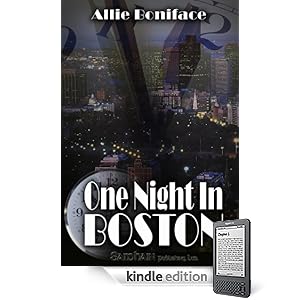
One Night In Boston
One Night in Boston
by Allie Boniface (Author)
Kindle Price: $0.00
Product Description (from Amazon)
Can anything really change in 24 hours? Can everything? Maggie Doyle is about to lose her home, her business, and her last grip on sanity unless she comes up with fifteen thousand dollars to pay off the bank. Her only option? Forget the pain of one life-altering night, find the stepbrother she hasn't spoken to in years and ask him for help. Everything in Jack Major's life is going according to plan. He's rich, powerful, and about to marry Boston's most successful attorney. There's just one problem: he can't seem to forget his first love, the one who left him in college after a whirlwind trip to Vegas with a secret she couldn't trust him to keep.
When Maggie and Jack meet up at a high-profile charity ball, past collides with present and the sparks fly. But is it too late for a first love to ignite again? And if Maggie reveals the reason she left Jack all those years ago, will he be able to forgive her?
A single night in Boston takes Maggie and Jack from the glittering lights of the ballroom to the windswept city streets and back through the years to relive old memories. Will morning light bring new hope for their future together? Or are some secrets too deep to ever truly overcome?

Amazon Free Book Today

Originally Published April 2, 2010 by Cindy O'Neal

Note: If you are reading this on your Kindle and want to get a book from the Kindle store now, type in the title, then toggle your 5-way switch to the right until store is highlighted. Press in on it to search. When the title comes up, make sure it is still free (or an acceptable price) before finally pressing in on the 5-way switch to "buy" it. You can always press the back button (before you press buy) if you change your mind. 

And remember... what is FREE today may not be FREE tomorrow, so get it while you can!

Here's what looks to be a nice mystery/thriller. And it isn't a sample, it's the whole book!
The Real Enemy (Sophie Trace Trilogy, Book 1) (Kindle Edition)

The Real Enemy (Sophie Trace Trilogy, Book 1)

by Kathy Herman
(25 reviews at Amazon.com)
Devices: Blackberry, iPhone, Kindle, PC, Mac
Kindle Price: $0.00 & includes wireless delivery via Amazon Whispernet
From Booklist:
*Starred Review* “Brill” Jessup earned her nickname because of her brilliant detective work during her 18 years in the Memphis Police Department. Now the first female police chief in the sleepy little town of Sophie Trace, Tennessee, Brill needs to build her “street cred” all over again, both with a staff that’s just getting to know her and with a sheriff with a giant ego whose cases sometimes overlap hers. In this faith-based novel, Brill’s husband, Kurt, has had an affair, and she’s not able to forgive him. But Brill has more to worry about than just her marital problems. People are beginning to disappear from Sophie Trace without leaving a clue, and many believe “red shadows,” the ghosts of Cherokees who were forced from their land, are responsible. Herman skillfully builds suspense and twists plotlines, keeping her readers hooked from beginning to end. While the characters in this book are both interesting and three-dimensional, Brill is an especially fascinating blend of tough and vulnerable, the epitome of a woman under great stress, personal and professional. This is the first installment in the Sophie Trace trilogy, and libraries will want all three. --Shelley Mosley

Thursday, April 01, 2010

Amazon Free Books Today

originally posted April 1, 2010 by Cindy O'Neal

Note: If you are reading this on your Kindle and want to get a book from the Kindle store now, type in the title, then toggle your 5-way switch to the right until store is highlighted. Press in on it to search. When the title comes up, make sure it is still free (or an acceptable price) before finally pressing in on the 5-way switch to "buy" it. You can always press the back button (before you press buy) if you change your mind. 

And remember... what is FREE today may not be FREE tomorrow, so get it while you can!

by Philip Yancey
Kindle Price: $0.00
Auto-delivered wirelessly to Kindle.
From the Back Cover:
"There is no writer in the evangelical world that I admire and appreciate more.' - Billy Graham Philip Yancey's words---captured in his many bestselling books---have influenced the lives of millions of readers by strengthening their faith, building their hope, sparking their creativity, and challenging their comfort zones. If you're one of those readers, you know personally how his insights have affected your mind and heart. And if you're new to Yancey, you're in for a life-altering experience. These meditations---all drawn from the beloved and bestselling writings of the author---will take you through an entire year of Yancey's insight and imagination, covering a broad range of topics: * How to rediscover God through the wonders of nature, music, and romantic love * Why grace means you can't do anything to make God love you more or less * What happens when you cut through preconceptions to encounter the 'real' Jesus * How to renew your understanding and practice of prayer * Where you can see God in unexpected people and places * How to cope when life crashes in around you Every day, experience the best from a beloved author who, with freshness, clarity, and energy, has so brilliantly articulated God's wonderful but mysterious relationship with you. "

Special thanks to Helen for bringing this one to my attention!


by Erynn Mangum
Kindle Price: $0.00
Auto-delivered wirelessly to Kindle.

From the Back Cover:
Lauren Holbrook has found her life's calling: matchmaking for the romantically challenged. And with the eclectic cast of characters in her world, there's tons of potential to play "connect the friends." Inspired by the recent success of matching her sister and new husband, Lauren sets out to introduce Nick, her carefree singles' pastor, to Ruby, her neurotic coworker who plans every second of every day. What could possibly go wrong? Just about everything. When Lauren's foolproof plan begins to unravel, she learns that a simple introduction between friends can bring about complicated results. And as she reconsiders her new role as Cupid (as well as her vow to stay single forever), will Lauren finally decide that God's plan is always good enough?

Kindle Clippings

originally posted April 1, 2010 by Cindy O'Neal

Whenever you create a note or bookmark, you will see a new file appear on your home screen named My Clippings. The My Clippings file stores all of the bookmarks, highlights, notes and clippings you have made across all your content, including any personal files you have made bookmarks or notes in.

Clip an entire article in a periodical (newspaper or magazine - or a blog)if you want. Open the blog or periodical article. Press the Menu button and select the words Clip This Article. The article will be stored in the My Clippings file on your Kindle.View the clippings file on your Kindle, or copy it to your computer as a .txt file. Once you have it on your computer, you can edit it with a text editor or word processor or even send it to someone else in an email.  If you delete the My Clippings file, another one will be recreated the next time you highlight something or create a new bookmark. Clippings are nice!

Wednesday, March 31, 2010

Manybooks.net Free

originally posted March 31, 2010


Author: Founding Fathers
Published: 1787
Language: English
Wordcount: 5,007 / 22 pg
cost: FREE (absolutely)

Every American needs to read it.

Instant refreshers:
How to download a book file from manybooks.net and how to get it to your Kindle.
Downloading 101 - Firefox
Downloading 101 - Internet Explorer
Kindle File Management

Highlighting

originally posted March 31, 2010 by Cindy O'Neal

Highlighting text in a Kindle is similar to using a highlighter pen on paper. The Kindle stores all your highlights for any book as an annotation. View your annotations any time by pressing the Menu button and selecting My Notes & Marks. Highlights are notes you don't have to type.
Special Note: Highlighting and making Notes will not work in blogs. 

To Highlight Something:
  • Use the 5-way to position the blinking cursor where you want to begin highlighting.
  • Press the 5-way to begin.
  • Toggle the 5-way right (or left) to where you want your highlight to end. You can turn pages if you need to highlight multiple pages of text.
  • Press the 5-way where you want to end the highlighting (or press the Back button to cancel).
  • The text you highlighted will appear with a gray underline.
Remove a Highlight:
  • Use the 5-way to place the blinking cursor over the highlight you want to remove.
  • Press the Delete (DEL) key
You can also delete highlights in the My notes & Marks area. Press the Menu button and select My Notes & Marks. Press in on the 5-way to open. Navigate to the highlight you want to remove and press the Delete (DEL) key. Then move the 5-way down until you select Close Notes & Marks and press the 5-way to close.

Note: You can exit just about anything by pressing the Back button.