Thursday, April 08, 2010

Free on Amazon Today

originally posted April 8, 2010 by Cindy O'Neal

Note: If you are reading this on your Kindle and want to get a book from the Kindle store now, type in the title, then toggle your 5-way switch to the right until store is highlighted. Press in on it to search. When the title comes up, make sure it is still free (or an acceptable price) before finally pressing in on the 5-way switch to "buy" it. You can always press the back button (before you press buy) if you change your mind. 

And remember... what is FREE today may not be FREE tomorrow, so get it while you can!

by Don Piper
Kindle Price: $0.00 
Auto-delivered wirelessly to Kindle.

Product Description (from Amazon)
Now available in a special edition for readers age 9-12, 90 Minutes in Heaven is the runaway bestseller about one man's experience with death and life. When Don Piper's car collided with a semi-truck he was pronounced dead at the scene. For the next 90 minutes, he experienced the glories of heaven. Back on earth, a passing minister felt led to pray for the accident victim even though he was told Piper was dead. Miraculously, Piper came back to life, and the pleasure of heaven was replaced by a long and painful recovery. An inspiring account for people of all ages, 90 Minutes in Heaven is now poised to touch and comfort children in the same way it has offered encouragement and hope to millions of adults.


Against All Odds (Heroes of Quantico Series, Book 1)
by Irene Hannon
Kindle Price: $0.00 
Auto-delivered wirelessly to Kindle.

Product Description (from Amazon)
For FBI Hostage Rescue Team member Evan Cooper and his partner, dignitary protection duty should have been a piece of cake. Unfortunately, Monica Callahan isn't making it easy. Estranged from her diplomat father--who is involved in a sensitive hostage situation in the Middle East--she refuses to be intimidated by a related terrorist threat back in the States. That is, until a chilling warning convinces her that the danger is very real--and escalating. As Coop and his partner do their best to keep her safe, Monica's father triggers an abduction that puts his daughter's life at risk. And with every second that ticks by, Coop knows that the odds of saving the only woman who has ever breached the walls around his heart are dropping. After all, terrorists aren't known for their patience--or their mercy. Book one in the Heroes of Quantico series, this suspense-filled novel will whisk readers along for the thrilling ride. 


A Promise to Remember by Kathryn Cushman

Kindle Price: $0.00 & includes wireless delivery via Amazon Whispernet (21 reviews at Amazon.com)
Subjects: Religious Fiction, Christian Fiction, Fiction & Literature
Description: "...a great choice for women's groups or simply as a gift for a woman going through challenging circumstances." -- CBA Retailers + Resources "...an impressive debut for Cushman.... fans of contemporary Christian fiction will no doubt await her next book with anticipation." -- Violet Nesdoly, blogcritics.org "...once you start reading there is no way you won't be affected in some way .... Kathryn Cushman is bestseller material!" -- Crystal Johnson, armchairinterviews.com "...well written and engrossing from the first page.... should be on everyone's must-read list." -- Lisa Kisner, ReaderViews.com "For lovers of inspirational fiction, A Promise to Remember is a must read." -- Vennessa Ng, titletrakk.com "The emotions felt by the characters in this story pulsate off the page..." -- Deena Peterson, deenasbooks.blogspot.com "This gripping tale of loss, love and forgiveness is one of the best I've read." -- Ane Mulligan, novelreviews.blogspot.com When There's Nothing Left But Memories... Andie Phelps is the envy of Santa Barbara. A devoted mother with a loving son and a successful husband, her greatest joy comes from reaching out to others... Melanie Johnston is the envy of no one. A single mom who works long hours to pay the bills, and her greatest joys relate to her teen daughter and son. Then the accident that changes everything. When opposite worlds collide, the impact reaches far beyond these mothers' personal losses. Two wounded women...Two families seeking hope...A community torn apart... How far will they go to fulfill...A Promise to Remember. (from Amazon.com)

Kindle Skills

Originally posted April 8, 2010 by Cindy O'Neal

Opening Kindle Files on your computer:
Just because you download a file for your Kindle doesn't mean you can double click it and your computer will know what to do with it.

Kindle files are special and unless it is a text (.txt) file, chances are you won't be able to just double click it and expect it to open with something. You may even get that special Windows message that suggests it doesn't have a clue what kind of a file it is, and what do YOU want to open it with. Trust me... this is NOT your cue to pick your favorite word processor because you are comfortable with it. I sure wish Windows would word that message a bit differently. For years people have been taking it the wrong way. What it really means is if you know what software is needed to open a particular file, and you know where the software is located on your computer, you can navigate to the location of that software and choose it to open a particular file type. If you have no idea what I was just talking about, you should always click the CANCEL button when you see that special Windows message. It will keep you out of trouble and from associating a file with a wrong program. In Windows it is always better to cancel than guess and click OK to something that may make unwanted and hard to reverse changes.

The files I usually like to get from manybooks.net are .mobi. If you have the FREE Mobipocket reader installed, double clicking on a .mobi file after you download it will cause the Mobipocket reader software to open and you will be able to view your book right in the reader. You don't have to have it though. If you download a .mobi file for your Kindle, you can copy that file to the documents folder on your Kindle and after you disconnect your Kindle from your USB connector, your .mobi book will be available on your Kindle Home screen.

You can download the free Mobipocket reader from mobipocket.com.  This little bit of software will also import other files, like word documents (including .rtf files), html, epub, chm and others with a simple drag and drop operation right into the open book listing area on the right of the main Mobipocket reader window. When you drag and drop a file, the Mobipocket software will convert it into a .prc file and store this converted file in a folder in your My Documents folder called My Ebooks. You can open that folder and drag any of those .prc files right to the Documents folder on your Kindle and your Kindle will have no problem letting you view them. I use this little feature all the time to quickly convert various books and personal files when I need to. Most of the time, the file you download will be something your Kindle will be able to process with no conversion.

File types your Kindle likes:
.azw (native Kindle file)
.txt
.mobi
.prc
.pdb
.pdf (not as pretty as it would be on your computer screen, but viewable)

Other files your Kindle likes:
.mp3 (music and audiobook files...these go into the music folder on your Kindle)
.aa (audible.com files... these go into the audible folder on your Kindle) You need to have an audible.com account for these audio books.

No Kindle Required:Most of the books are going to be "protected" (meaning you can't read them on anything other than an approved Kindle device) with DRM (digital rights management) code embedded in the files. This doesn't mean you absolutely have to have a Kindle to read them. You can download special software from Amazon to read Kindle books you purchase on your PC, Mac, iPod, iTouch, Blackberry, and now even the iPad. Go to the Kindle Store on Amazon and look in the far left column for the various software applications (Kindle Reading Apps). Download and use the one you need for free. Yep... you can read free Amazon books, and the ones you purchase on something other than your Kindle, in addition to your Kindle, no Kindle even required. Neat huh?

Wednesday, April 07, 2010

Manybooks.net

Originally posted April 7, 2010 by Cindy O'Neal

Like mysteries?

Author: Wyndham Martyn (William Grenvil)
Published: 1922
Language: English
Wordcount: 70,701 / 196 pg

Instant refreshers:How to download a book file from manybooks.net and how to get it to your Kindle.
Downloading 101 - Firefox
Downloading 101 - Internet Explorer
Kindle File Management

Tuesday, April 06, 2010

Kindle Killer?

Originally posted April 6, 2010 by Cindy O'Neal

Is the iPad a Kindle killer? I don't think so. It is a very attractive little machine, but Apple seems to be touting its web browsing capability, with a smaller emphasis on its new book store and how the books look on the new little machine. Personally I like the idea of a machine about the size of a Kindle DX that can surf the Internet AND be a nice little reader, but it doesn't seem to be able to surf those web pages that utilize Flash, and that makes the $500+ cost a lot more than I want to spend. I may add a new iPad to my arsenal when it has matured a bit, but right now it isn't in my "gotta have" category... not even close.

Flash (play on words)... I just received a new junk email from a company purporting to be able to "redo" your website to make it more iPad friendly... in other words, remove the flash? I don't like what this even suggests. Right now I don't see any gadget important enough to remove Flash from a site. Who do they think they are? Anyhow?

They won't be getting any dollars from me for a while. Flash is a state of the art, secure way to add animation (and other things) to a website. Surely Apple isn't trying to kill off Adobe?


more to come?

Monday, April 05, 2010

When Sync & Check isn't enough

Originally posted April 5, 2010 by Cindy O'Neal

What exactly is Sync & Check for Items?
It is exactly what it says it is... When you choose Sync & Check for Items from the Home menu on your Kindle, it uses Whispernet to visit the Amazon servers to see if anything you have purchased has been updated or changed, or if there are any new purchases up there it can download to your Kindle for you. The word Sync in this case has nothing to do with synchronizing any of your personal files, or any books you have downloaded from other places (like Manybooks.net) and have stored on your computer. It has nothing to do with copying files to your Kindle from your computer. That is a separate operation altogether.

Every now and then you need to do a nice fresh restart of your Kindle to set things right, like blogs updating properly. Today I noticed a couple I subscribe to haven't automatically updated in a few days, and these are bloggers who post daily (sometimes several times a day), the way I do. Before calling Kindle support, try restarting your Kindle.
  • With the Kindle turned on and at the Home screen, press the Menu button.
  • Use the 5-way to toggle down to the word Settings.
  • Press in on the 5-way to go to the Settings page.
  • While on the Settings page, press in on the Menu button again.
  • With the 5-way, toggle down to the word Restart. Once selected, press in on the 5-way to make it happen.
Restarting your little machine will take a few minutes, but you should notice your content (blogs) are updating properly now. I had a problem with that a few weeks ago and ended up phoning Kindle tech support. Amazon is aware of the issue and working to correct it. I will be glad when they do.

Kindle support - 1-866-321-8851

Sunday, April 04, 2010

No Sneak Peeks Here

Originally posted April 4, 2010 by Cindy O'Neal
There are entirely too many "sneak peeks" and "first chapter" books in the "free books" searches lately. I am choosing to not list them. When I find a free book to share, it will be a complete book. It may be the first book in a series, but heck, that's how my daughter and I got hooked on Melody Carlson's stuff. We picked up I Heart Bloomberg as a freebie and it turned out to be the first book in a really great series. And that first book was a complete book and not a teaser. If you want a sample, order a sample before you decide to purchase a book. Amazon makes it easy to have a sample of any Kindle book sent to you. When you are reading the description of the book, click the button to send a sample to your Kindle. If you like what you read, purchase the book and delete the sample.

A free sample is not a free book.

My opinion and I'm sticking to it.

Note: If you are reading this on your Kindle and want to get a book from the Kindle store now, type in the title, then toggle your 5-way switch to the right until store is highlighted. Press in on it to search. When the title comes up, make sure it is still free (or an acceptable price) before finally pressing in on the 5-way switch to "buy" it. You can always press the back button (before you press buy) if you change your mind. 

And remember... what is FREE today may not be FREE tomorrow, so get these while you can!

The Luxe (Kindle Edition)
From Publishers Weekly: With a quote from The Age of Innocence as an epigraph and an enthusiastic blurb from the creator of Gossip Girl on its back cover, this lavishly produced debut makes no secret of its twin influences. The story opens in 1899 with the funeral of Elizabeth Holland, a well-bred beauty said to have plunged to her death in the Hudson River. The narrative then travels back several weeks, tracing the relationships and events that have led to the somber assembly. This tangled web includes not one but two sets of star-crossed lovers; an upstairs/downstairs romance; a scheming social climber; a bitter servant girl; and oodles of money, all set in a Edith Wharton via Hollywood vision of Old New York. The dialogue has its clunky moments, and the plot twist that drives the tale is telegraphed from the very start, but readers caught up in the fancy dress intrigue are unlikely to mind much: it’s all part of the dishy fun. Needless to say, the ending paves the way for at least one sequel. Ages 14-up. (Dec.) 

From Kirkus Reviews: A big, sumptuous tale of catty girls, dark secrets and windswept romance unfurls in this compulsively readable novel of late-19th-century New York City socialites. Godbersen weaves a tenuous web of deceit, backstabbing and pretense that follows four teens: Elizabeth Holland, a prim and proper lady of old-money society, is betrothed to one man, though furtively loves another; Henry Schoonmaker, a debauched playboy who must marry Elizabeth or be disinherited; Diana Holland, Elizabeth’s younger sister who is in love with her fiancĂ©; and Penelope Hayes, a member of the nouveau riche who will stop at nothing to win Henry’s affections. As Elizabeth and Henry’s wedding approaches, the spectacle unfolds in a wondrously grandiose scene, making for a fun, though not entirely unexpected dĂ©nouement. A delicious new twist along the Gossip Girl vein, readers will clamor for this sharp, smart drama of friends, lovers, lies and betrayal. (Fiction. YA)


Body in the Library, The
Kindle Price: $0.00
Review: "The best opening I ever wrote." Agatha Christie "Genuine old-crusted Christie." Time "Professional detectives are no match for elderly spinsters! it is hard not to be impressed." Times Literary Supplement "one of the most ingeniously contrived of all her murder stories." Birmingham Post

Product Description: The very-respectable Colonel and Mrs Bantry have awakened to discover the body of a young woman in their library. She is wearing evening dress and heavy make-up, which is now smeared across her cold cheeks. But who is she? How did she get there? And what is her connection with another dead girl, whose charred remains are later discovered in an abandoned quarry? The Bantrys turn to Miss Marple to solve the mystery.

Saturday, April 03, 2010

Wiki Search

originally posted April 3, 2010 by Cindy O'Neal

Jesse James


Wikipedia Kindle Search:
Make sure your Kindle is connected to the Internet. Type in the name or words you want to search. Search terms are not case sensitive but spelling is important. Toggle the 5-way button to the right until Wikipedia is highlighted. Press in on the 5-way to make it happen.  Happy reading!

Crossword Puzzles Anyone?

originally posted April 3, 2010 by Cindy O'Neal

Thank you Helen for this great tip!  It is amazing the number of other uses we can find for our Kindles!
===========

Just a note to let you know I've found another use for my Kindle.  When I get stuck on my crossword puzzle, I go to my Kindle and type in the clue, and either go to Google, Dictionary or other, and usually find the answer!!!  Sure saves having to have a large dictionary available...

Oh My! Lemony Snicket Books!

originally published April 3, 2010 by Cindy O'Neal 

Free Even!
Could it be to celebrate the "coming out" of the Apple iPad?
It doesn't matter really, the bottom line is that (for however long) a good many of the Lemony Snicket Unfortunate Events books are available for FREE in the Kindle Store on Amazon and you don't need to be a kid to enjoy them.

To browse through and "purchase" them on your Kindle, type the words Lemony Snicket (not case sensitive) with your Kindle keyboard. Toggle the 5-way switch to the right until the word store is highlighted. Press in on the 5-way switch to make the search happen. You will see all the Lemony Snicket Kindle books listed. Use the 5-way to view each one, read more about and "purchase" if you want. Use the Back button to go back to the search list at any time to continue browsing the list.

It looks as though books 2-6, and 9-13 are free right now. If you want to add them to your collection, it would be wise to do so as soon as possible. Only Amazon knows how long these free offerings will last.

Verbal Intelligence

Originally posted April 3, 2010 by Cindy O'Neal
Note: If you are reading this on your Kindle and want to get a book from the Kindle store now, type in the title, then toggle your 5-way switch to the right until store is highlighted. Press in on it to search. When the title comes up, make sure it is still free (or an acceptable price) before finally pressing in on the 5-way switch to "buy" it. You can always press the back button (before you press buy) if you change your mind. 

And remember... what is FREE today may not be FREE tomorrow, so get it while you can! 

If you read for recreation, your vocabulary is already stronger than most who don't. This book could prove to be a tool to give you formidable control over your use of words.

Product Details
The Power of Verbal Intelligence by Tony Buzan (Kindle Edition - July 23, 2002) - Kindle Book
Kindle Price: $0.00


Product Description (from Amazon)

How to be brilliant with words reading, speaking, remembering and understanding them!
* Includes the best of Buzan's world-famous techniques for improving recall and understanding.
* Increase your vocabulary.
* Learn to speed read. 

Friday, April 02, 2010

Manybooks.net FREE

originally posted April 2, 2010 by Cindy O'Neal

Because the Truth is FREE
Everyone needs this book in their Kindle library.

The Federalist Papers 

Author: Alexander Hamilton, John Jay, James Madison
Language: English
Wordcount: 191,890 / 579 pg

Instant refreshers:
How to download a book file from manybooks.net and how to get it to your Kindle.
Downloading 101 - Firefox
Downloading 101 - Internet Explorer
Kindle File Management

Another Amazon Free Book Today

Originally posted April 2, 2010 by Cindy O'Neal
Note: If you are reading this on your Kindle and want to get a book from the Kindle store now, type in the title, then toggle your 5-way switch to the right until store is highlighted. Press in on it to search. When the title comes up, make sure it is still free (or an acceptable price) before finally pressing in on the 5-way switch to "buy" it. You can always press the back button (before you press buy) if you change your mind. 

And remember... what is FREE today may not be FREE tomorrow, so get it while you can!

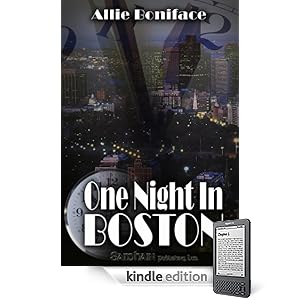
One Night In Boston
One Night in Boston
by Allie Boniface (Author)
Kindle Price: $0.00
Product Description (from Amazon)
Can anything really change in 24 hours? Can everything? Maggie Doyle is about to lose her home, her business, and her last grip on sanity unless she comes up with fifteen thousand dollars to pay off the bank. Her only option? Forget the pain of one life-altering night, find the stepbrother she hasn't spoken to in years and ask him for help. Everything in Jack Major's life is going according to plan. He's rich, powerful, and about to marry Boston's most successful attorney. There's just one problem: he can't seem to forget his first love, the one who left him in college after a whirlwind trip to Vegas with a secret she couldn't trust him to keep.
When Maggie and Jack meet up at a high-profile charity ball, past collides with present and the sparks fly. But is it too late for a first love to ignite again? And if Maggie reveals the reason she left Jack all those years ago, will he be able to forgive her?
A single night in Boston takes Maggie and Jack from the glittering lights of the ballroom to the windswept city streets and back through the years to relive old memories. Will morning light bring new hope for their future together? Or are some secrets too deep to ever truly overcome?

Amazon Free Book Today

Originally Published April 2, 2010 by Cindy O'Neal

Note: If you are reading this on your Kindle and want to get a book from the Kindle store now, type in the title, then toggle your 5-way switch to the right until store is highlighted. Press in on it to search. When the title comes up, make sure it is still free (or an acceptable price) before finally pressing in on the 5-way switch to "buy" it. You can always press the back button (before you press buy) if you change your mind. 

And remember... what is FREE today may not be FREE tomorrow, so get it while you can!

Here's what looks to be a nice mystery/thriller. And it isn't a sample, it's the whole book!
The Real Enemy (Sophie Trace Trilogy, Book 1) (Kindle Edition)

The Real Enemy (Sophie Trace Trilogy, Book 1)

by Kathy Herman
(25 reviews at Amazon.com)
Devices: Blackberry, iPhone, Kindle, PC, Mac
Kindle Price: $0.00 & includes wireless delivery via Amazon Whispernet
From Booklist:
*Starred Review* “Brill” Jessup earned her nickname because of her brilliant detective work during her 18 years in the Memphis Police Department. Now the first female police chief in the sleepy little town of Sophie Trace, Tennessee, Brill needs to build her “street cred” all over again, both with a staff that’s just getting to know her and with a sheriff with a giant ego whose cases sometimes overlap hers. In this faith-based novel, Brill’s husband, Kurt, has had an affair, and she’s not able to forgive him. But Brill has more to worry about than just her marital problems. People are beginning to disappear from Sophie Trace without leaving a clue, and many believe “red shadows,” the ghosts of Cherokees who were forced from their land, are responsible. Herman skillfully builds suspense and twists plotlines, keeping her readers hooked from beginning to end. While the characters in this book are both interesting and three-dimensional, Brill is an especially fascinating blend of tough and vulnerable, the epitome of a woman under great stress, personal and professional. This is the first installment in the Sophie Trace trilogy, and libraries will want all three. --Shelley Mosley

Thursday, April 01, 2010

Amazon Free Books Today

originally posted April 1, 2010 by Cindy O'Neal

Note: If you are reading this on your Kindle and want to get a book from the Kindle store now, type in the title, then toggle your 5-way switch to the right until store is highlighted. Press in on it to search. When the title comes up, make sure it is still free (or an acceptable price) before finally pressing in on the 5-way switch to "buy" it. You can always press the back button (before you press buy) if you change your mind. 

And remember... what is FREE today may not be FREE tomorrow, so get it while you can!

by Philip Yancey
Kindle Price: $0.00
Auto-delivered wirelessly to Kindle.
From the Back Cover:
"There is no writer in the evangelical world that I admire and appreciate more.' - Billy Graham Philip Yancey's words---captured in his many bestselling books---have influenced the lives of millions of readers by strengthening their faith, building their hope, sparking their creativity, and challenging their comfort zones. If you're one of those readers, you know personally how his insights have affected your mind and heart. And if you're new to Yancey, you're in for a life-altering experience. These meditations---all drawn from the beloved and bestselling writings of the author---will take you through an entire year of Yancey's insight and imagination, covering a broad range of topics: * How to rediscover God through the wonders of nature, music, and romantic love * Why grace means you can't do anything to make God love you more or less * What happens when you cut through preconceptions to encounter the 'real' Jesus * How to renew your understanding and practice of prayer * Where you can see God in unexpected people and places * How to cope when life crashes in around you Every day, experience the best from a beloved author who, with freshness, clarity, and energy, has so brilliantly articulated God's wonderful but mysterious relationship with you. "

Special thanks to Helen for bringing this one to my attention!


by Erynn Mangum
Kindle Price: $0.00
Auto-delivered wirelessly to Kindle.

From the Back Cover:
Lauren Holbrook has found her life's calling: matchmaking for the romantically challenged. And with the eclectic cast of characters in her world, there's tons of potential to play "connect the friends." Inspired by the recent success of matching her sister and new husband, Lauren sets out to introduce Nick, her carefree singles' pastor, to Ruby, her neurotic coworker who plans every second of every day. What could possibly go wrong? Just about everything. When Lauren's foolproof plan begins to unravel, she learns that a simple introduction between friends can bring about complicated results. And as she reconsiders her new role as Cupid (as well as her vow to stay single forever), will Lauren finally decide that God's plan is always good enough?

Kindle Clippings

originally posted April 1, 2010 by Cindy O'Neal

Whenever you create a note or bookmark, you will see a new file appear on your home screen named My Clippings. The My Clippings file stores all of the bookmarks, highlights, notes and clippings you have made across all your content, including any personal files you have made bookmarks or notes in.

Clip an entire article in a periodical (newspaper or magazine - or a blog)if you want. Open the blog or periodical article. Press the Menu button and select the words Clip This Article. The article will be stored in the My Clippings file on your Kindle.View the clippings file on your Kindle, or copy it to your computer as a .txt file. Once you have it on your computer, you can edit it with a text editor or word processor or even send it to someone else in an email.  If you delete the My Clippings file, another one will be recreated the next time you highlight something or create a new bookmark. Clippings are nice!

Wednesday, March 31, 2010

Manybooks.net Free

originally posted March 31, 2010


Author: Founding Fathers
Published: 1787
Language: English
Wordcount: 5,007 / 22 pg
cost: FREE (absolutely)

Every American needs to read it.

Instant refreshers:
How to download a book file from manybooks.net and how to get it to your Kindle.
Downloading 101 - Firefox
Downloading 101 - Internet Explorer
Kindle File Management

Highlighting

originally posted March 31, 2010 by Cindy O'Neal

Highlighting text in a Kindle is similar to using a highlighter pen on paper. The Kindle stores all your highlights for any book as an annotation. View your annotations any time by pressing the Menu button and selecting My Notes & Marks. Highlights are notes you don't have to type.
Special Note: Highlighting and making Notes will not work in blogs. 

To Highlight Something:
  • Use the 5-way to position the blinking cursor where you want to begin highlighting.
  • Press the 5-way to begin.
  • Toggle the 5-way right (or left) to where you want your highlight to end. You can turn pages if you need to highlight multiple pages of text.
  • Press the 5-way where you want to end the highlighting (or press the Back button to cancel).
  • The text you highlighted will appear with a gray underline.
Remove a Highlight:
  • Use the 5-way to place the blinking cursor over the highlight you want to remove.
  • Press the Delete (DEL) key
You can also delete highlights in the My notes & Marks area. Press the Menu button and select My Notes & Marks. Press in on the 5-way to open. Navigate to the highlight you want to remove and press the Delete (DEL) key. Then move the 5-way down until you select Close Notes & Marks and press the 5-way to close.

Note: You can exit just about anything by pressing the Back button.

Tuesday, March 30, 2010

Contact Mrs. Wizard

Questions? If I can help, I will be happy to.

The best way to contact me with questions about your Kindle is via my email address. I enjoy hearing from other Kindlers!

Note: if you are reading this on your Kindle, the email address is cindy.oneal@gmail.com

Special Note: Terri, send me an email so I can contact you. I can help.

Manybooks.net

originally posted March 30, 2010 by Cindy O'Neal

Manybooks.net links work great right from your kindle. Make sure to download the right format book and you should have no trouble downloading books from your Kindle, to your Kindle and having them available immediately. Only files with the extension .AZW, .AZW1, .PRC, .MOBI or .TXT can be directly downloaded to a Kindle. My personal favorite format is .mobi because it seems to be the best formatted for direct downloading to the kindle. 

Cover image for Sky Is Falling, The
The Sky is Falling

Published: 1954
Language: English
Wordcount: 36,932 / 113 pg
Cost: FREE (absolutely)

from the book:
''Dave stared around the office. He went to the window and stared upwards at the crazy patchwork of the sky. For all he knew, in such a sky there might be cracks. In fact, as he looked, he could make out a rift, and beyond that a ... hole ... a small patch where there was no color, and yet the sky there was not black. There were no stars there, though points of light were clustered around the edges, apparently retreating.''

Kind of gives you the shivers doesn't it!

Instant refreshers:
how to download a book file from manybooks.net and how to get it to your Kindle
Downloading 101 - Firefox
Downloading 101 - Internet Explorer
Kindle File Management

The 2010 Amazon Breakthrough Novel Award

originally posted March 30, 2010 by Cindy O'Neal

Now This is beginning to get exciting!  I have been wondering where all these great independent writers were coming from, and am so happy Amazon is doing more and more to encourage and promote them.

To browse the titles of all 504 entries on your Kindle, with an opportunity to download nice samples of each, type the words breakthrough award on your Kindle. Toggle the 5-way switch to the right until store is highlighted, then press in on the 5-way.  Use the Next and Prev Page buttons to browse the entire list and your 5-way switch (toggling up or down) to select one you want to read more about.  Press in on the 5-way once you have what you want to view underlined (highlighted) to view more.

Be prepared to spend some serious time. It is a long and fascinating list of titles!
If you would like to download the list, you will need to go to the awards page on Amazon with your computer and download the pdf files there. Even though your Kindle 2 can display pdf files (sort of), it can't download them from a direct link (darn it). And I hate to say this, but Amazon isn't making it very easy to get to the Breakthrough Awards Page from the main page on Amazon.com. If push comes to pull, come to my blog via your computer (http://mrswizard.blogspot.com) and click the links from there. That will take you to these places where you can read about the awards, and download the pdf files. Sometimes, links like this just work better off the Kindle.

...from the Breakthrough Awards page on Amazon:

Amazon.com, along with Penguin Group (USA) and CreateSpace, is pleased to announce the third annual Amazon Breakthrough Novel Award, the international competition seeking the next popular novel. For the first time, the competition will award two grand prizes: one for General Fiction and one for Young Adult Fiction. The 2010 competition is open to unpublished and previously self-published novels waiting to be discovered. Each winner will receive a publishing contract with Penguin, which includes a $15,000 advance.

Announcing the Quarterfinalists
Congratulations to all of the 500 Quarterfinalists! Download a PDF list of the General Fiction Quarterfinalists and the Young Adult Fiction Quarterfinalists that have moved on to the next stage of the awards competition. You can browse the Quarterfinalists by category (all categories are listed on the left side of the page), and download and read excerpts on your Kindle or through one of our free Kindle apps.

Notes

March 30, 2010 Cindy O'Neal

Notes are a way to add your musings to a book or personal file for future use. They are stored in the My Notes & Marks area with your bookmarks.

Special Note: Notes and bookmarks do not work on subscription blogs. I'm not sure about newspaper or other subscriptions.

To add a note:
  • Use the 5-way to move the cursor to the left of the word on the page where you want to add your note.
  • Type your note
  • Use the 5-way to highlight the save note button. Press in on it to make it happen. If you change your mind you can press the Cancel button.
You will see a superscripted number where you placed your note. Notes are numbered in the order they appear in the book, so if you create another note on an earlier page, the numbering will change.

Notes are stored in a special file on your Kindle named My Clippings. More on that later.

To delete a note:
  • Open the book you have notes (or bookmarks) in.
  • Press the Menu button. Toggle down to the words My Notes & Marks. Press in on the 5-way.
  • You will see any notes you created listed on the screen. Use the 5-way to toggle to the one you want to select.
  • Press the DEL key to delete it.
  • Press the key just below the Del key (looks like an arrow pointing down and to the left) to edit (change) the note without deleting it. Once your changes have been made, you will see the option to save the changes at the bottom of your screen. Toggle the 5-way to the option you want, then press in to make it happen.
  • Press the Back key to return to your book.

Monday, March 29, 2010

Keyboard Quickies

Originally posted March 29, 2010 by Cindy O'Neal

If you are a keyboard kind of person, these little time savers are certainly worth committing to memory.
  • Alt+B - Bookmark or unbookmark the current page
  • Alt+Aa - change text size, text to speech rate, text to speach speaking voice (male or female)
  • Shift+SYM - start or stop text to speech
  • Spacebar - during text to speach, this will pause or resume
  • Menu button - instantly display the time and free memory

Bookmarks

Originally posted March 29, 2010 by Cindy O'Neal

Bookmarks are good, and very useful in paper books. I'm not so sure about on a Kindle, because it always remembers where you were in any book when you turn it on, even if you are reading several books at a time. You may have other reasons to mark certain pages in books. That's what bookmarks are for.

There are two ways to create a bookmark.
  • Press Alt+B on the keyboard (will bookmark or unbookmark the current page)
  • Press the Menu button, then toggle to and select the words Add a Bookmark and press in on the 5-way switch.
A dog-ear icon will appear in the upper right corner of the page to let you know that page is bookmarked. You can place a bookmark anywhere in a book, and you can have as many as you want in whatever book you are reading. When you add a bookmark, it is associated with the first location number on the page, so if you change text size, your bookmark will still be accurate. You can return to a bookmarked location any time.

View your Bookmarks
Press the Menu button and select My Notes & Marks. You will see them in the order they occur. Each bookmark shows the location number and the first line text from that location. To go to a particular bookmark, toggle the 5-way switch until the one you want it underlined (highlighted), press in on the 5-way to make it happen.

Use the Back button to go back easily to the bookmarks list to make another selection.

Delete bookmarks: you can also delete bookmarks (one or several at a time) in this area by pressing the Del (delete) key when a bookmark is highlighted in the My Notes & Marks area.

Another way to delete bookmarks
  • Go to the bookmarked page.
  • Press the Menu button
  • Toggle the 5-way down until the words Delete Bookmark is underlined. Press the 5-way to remove it.
  • You can also remove a bookmark on a page by holding down the Alt key and pressing the letter B on the keyboard. (Alt+B)

Amazon Free Book

Originally posted March 29, 2010 by Cindy O'Neal
Note: If you are reading this on your Kindle and want to get a book from the Kindle store now, type in the title, then toggle your 5-way switch to the right until store is highlighted. Press in on it to search. When the title comes up, make sure it is still free (or an acceptable price) before finally pressing in on the 5-way switch to "buy" it. You can always press the back button (before you press buy) if you change your mind. 

And remember... what is FREE today may not be FREE tomorrow, so get it while you can!

Product Details
The Homeplace by Gilbert Morris (Kindle Edition - June 1, 2009) - Kindle Book
Price: $0.00
Auto-delivered wirelessly

Product Description (from Amazon)
Lanie took out her journal and dated it April 12, 1928. She started the habit of writing down everything that happened to her when she was no more than eight years old, and now she had six journals completely full. She thought about the prize at school, almost prayed to win, but somehow she could not. "God," she finally said, "I'll do my best, and if you'll help me, that's all I ask."Fourteen-year-old Lanie Belle Freeman of Fairhope, Arkansas, has high hopes for her future. Happy on the five-acre family homeplace, she dreams of going to college and becoming a writer. And with her father launching a new business and her mother expecting the fifth baby, the bright days of an early Southern spring seem to herald expansive new beginnings for the Freeman family.But her mother isn't as strong as she should be, and it's going to take time for the business to pay back the mortgage. When unexpected tragedy strikes, it is left to Lanie to keep the family together and hold on to their home. In a world shaken by the Great Depression, it is faith in God and love in a tightly knit family that will help Lanie and her siblings overcome the odds and create a future that promises the fulfillment of love.The Homeplace offers a warmhearted and inspiring saga of a courageous young woman who holds her family together through the Depression era.

From the Back Cover
As the year 1928 begins, fourteen-year-old Lanie Belle Freeman of Fairhope, Arkansas, has bright hopes for the future. Her father has launched a new business, and her mother is expecting her fifth baby. Lanie has dreams of going to college and being a writer.
Then tragedy strikes.

First Lanie’s mother dies giving birth to the baby, and Lanie must assume the role of surrogate mother to her younger siblings. Then her father is falsely accused of murder—and convicted! With their father in prison, Lanie and her brothers and sisters do all they can to keep the family together, and hold on to their home.
In the face of a world shaken by the Great Depression, this young family finds salvation and encouragement in faith, family, and the tight-knit community of Fairhope. With warmth and an unflagging sense of humor, Lanie leads her siblings into a future that, against all odds, holds the promise of hope and love. Book One in the Fairhope Series.

Sunday, March 28, 2010

Amazon Free Book

Originally posted March 28, 2010 by Cindy O'Neal

Note: If you are reading this on your Kindle and want to get a book from the Kindle store now, type in the title, then toggle your 5-way switch to the right until store is highlighted. Press in on it to search. When the title comes up, make sure it is still free (or an acceptable price) before finally pressing in on the 5-way switch to "buy" it. You can always press the back button (before you press buy) if you change your mind. 

by Amy Clipston
Kindle Price: $0.00
Auto-delivered wirelessly to Kindle.
Average Customer Review:

From School Library Journal
Rebecca Kauffman's Old Order Amish life is thrown into upheaval when her sister, who had joined the outside world, is killed in a car crash and leaves two teenage daughters for Rebecca to raise.
Copyright © Reed Business Information, a division of Reed Elsevier Inc. All rights reserved.
Product Description (Amazon)
When Rebecca Kauffman's older sister, who left the Amish community when she was a teenager, dies in an automobile accident, Rebecca is left custody of her two modern non-Amish teenage nieces, Jessica and Lindsay. Will she be able to reconcile the two worlds in her home-or will the clash of cultures tear her world, including her marriage, apart?

And remember... what is FREE today may not be FREE tomorrow, so get it while you can!

Saturday, March 27, 2010

Text Sizes and more

Originally posted March 27, 2010 by Cindy O'Neal
Control text sizes, as well as margins on the Kindle page by pressing the Aa button (first to the right of the spacebar on the bottom row). Then use the 5-way to toggle your way down to what you want to control.

The Words per Line area adjusts the overall margins of the display. You might want to test the three different options (fewest, fewer, default) to see which is best for you. This is also where you can choose either a male or female voice and the speech rate (speed) for the Text to Speech feature.

The Screen Rotation options are available at the bottom of the text options (Aa) area. This is a recent feature from the latest update on the Kindle 2 and DX. It really comes in handy if you are viewing a pdf file or searching on the Internet and need to see a wider view of a web page. Toggle the 5-way switch to the view you want, then press in to make it happen. Press the Aa button again and choose your original view when you are ready to put it back.

Listen:
You can turn on Text to Speech if it is enabled for your book or blog without going through the Aa options. A quick keyboard command for your Kindle to turn on the Text to Speech is Shift+SYM (that's the Shift key ... looks like an up arrow on the bottom row and the SYM key... last key on the right on the bottom row). Press these two keys at the same time, wait a few, and you will hear your book or blog read to you. Press the same keys again to turn it off.

Friday, March 26, 2010

manybooks.net

Originally posted March 26, 2010 by Cindy O'Neal

Cover image for ManyBooks.net - Free eBooks for your PDA, iPhone, 
or eBook Reader

Beth Norvell

A Romance of the West
Randall Parrish
A story of Western mining camps and one-night stands.

Published in 1907, when "racy" was nothing like it is now!

Instant refreshers:
Downloading 101 - Firefox
Downloading 101 - Internet Explorer
Kindle File Management

Sampling Books

Originally posted March 26 , 2010 by Cindy O'Neal

Samples are free and easy to get when you are browsing for books on Amazon. When you find a book you want to check out further, choose Send sample now in the Try it Free  section of the page the book information is on (below the Add to Wish List button).
If you have multiple devices (like on your PC or Mac, or additional Kindles), click the little down arrow to the right in the Deliver to: area and choose which Kindle you want to send it to.

If you like the sample and want to purchase the book, press the menu button while you have the sample open and you will see the option to purchase. Once you purchase the full book, a new complete book file will be delivered to your Kindle right away. At this time, you can delete the sample file (unless you just want to hang on to it). Before you trash it, make a note of the location number at the bottom of your Kindle screen at the end of the sample so you will know where to go to in the complete book. Click the Home button to see all your books. Toggle the 5-way switch to the sample book. When it is selected, toggle the switch to the left and choose Delete. Then you can select the new complete book and continue reading.

If you know the location number where the sample ended, you can go to it quickly in the complete book by pressing the Menu button, then toggle the 5-way switch down to the words Go to Location. Once the words are underlined (selected), press in on the 5-way switch. A box will appear at the bottom of the screen where you can type in the number. Type it and toggle to the right until the words go to are highlighted. Press in on the 5-way and you will be as good as there!

Thursday, March 25, 2010

A new FREE Book on Amazon

Originally posted March 25, 2010 by Cindy O'Neal

Note: If you are reading this on your Kindle and want to get a book from the Kindle store now, type in the title, then toggle your 5-way switch to the right until store is highlighted. Press in on it to search. When the title comes up, make sure it is still free (or an acceptable price) before finally pressing in on the 5-way switch to "buy" it. You can always press the back button (before you press buy) if you change your mind. 

And remember... what is FREE today may not be FREE tomorrow, so get it while you can!
Instant refreshers:

Downloading 101 - Firefox
Downloading 101 - Internet Explorer
Kindle File Management 

This book sounds like a real sweetie!


by Haywood Smith
Kindle Price: $0.0
Auto-delivered wirelessly to Kindle.

Product Description (from Amazon):
A very Southern mother-in-law's humorous advice to mothers-in-law everywhere. From the multiple New York Times bestselling author of The Red Hat Club. Bestselling author Haywood Smith and her pals have lots of personal experience in the joys, sorrows, pitfalls and flat-out hysteria of Mother-in-Lawness. Now Smith offers a handy and fun booklet of pithy advice to mothers-in-law everywhere. Smiths sassy observations and gentle wisdom are delivered with her trademark southern charm, packing the sweet, heady punch of bourbon ice cubes melting in a mint julep. The Twelve Sacred Traditions of Magnificent Mothers-in-Law is the perfect gift book for showers, engagement parties, family celebrations or just to share with that special DIL (Daughter-in-Law) or SIL (Son-in-Law). It can even safely be given to a Mother-in-Law.

Quick Chapter Navigation

Originally posted March 25, 2010 by Cindy O'Neal

Look for the little dots at the bottom of your Kindle screen. These indicate chapters or other types of sections (like articles in a blog) in your ebook. Use your 5-way to toggle to the right or left to advance (or go back) a chapter or article at a time. Great time saver!

Wednesday, March 24, 2010

Kindle Question - losing my place

Originally posted March 24, 2010 by Cindy O'Neal

From a dear reader:

"Lately when I'm reading in my Kindle, and I either close it off or put it down for a time....when I pick it up to continue reading, it has gone back quite a few pages, and I have to keep going forward to come to the place I left off.  It doesn't always do that, but more than not.  Do you have a solution?"
Helen


Thank YOU for the question Helen.

Your Kindle shouldn't be doing that by itself at all. At least I have never noticed mine doing anything like that.

When you are finished reading, put it to "sleep" by sliding the top switch to the right and letting go of it. When you "wake up" your Kindle again (by sliding the switch again) you should be right where you left off. This also applies if you just let your Kindle go to "sleep" naturally by just leaving it for a bit. 

What time is it?

Originally posted March 24, 2010 by Cindy O'Neal

Quick Tip:
Your Kindle can double as a very handy timepiece.
No matter where you are, press the Menu button on your Kindle to see the current time displayed at the top of your Kindle screen. Press Menu again to return to your reading.

Tuesday, March 23, 2010

Viva Competition!

Originally posted March 23 , 2010 by Cindy O'Neal
Note: If you are reading this on your Kindle and want to get a book from the Kindle store now, type in the title, then toggle your 5-way switch to the right until store is highlighted. Press in on it to search. When the title comes up, make sure it is still free (or an acceptable price) before finally pressing in on the 5-way switch to "buy" it. You can always press the back button (before you press buy) if you change your mind. 

And remember... what is FREE today may not be FREE tomorrow, so get it while you can!
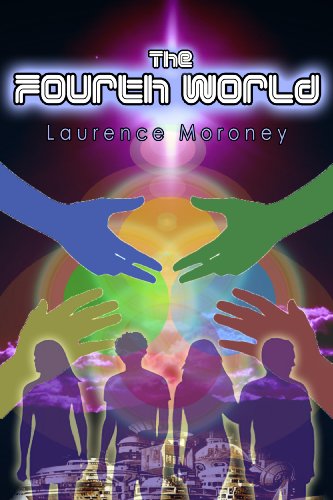
The Fourth World
The Fourth World by Laurence Moroney
Available on Barnes & Noble (free)
Amazon ($0.99)
(1 review at Amazon.com)
Description: Buried deep below the Nevada desert, in a place often called Area 51, is a very special and ancient school where the best and brightest children come to learn the technology that will bring mankind to its next step of evolution -- a place amongst the stars. 'The Fourth World' follows four children through their entry into this school: 'Fintan Reilly' is a young, often bullied Irish boy who has a big destiny; Zach Adams, from Fresno, is his diametric opposite, and instant best friend; Ayako Katsuragi is a brilliant Japanese girl, a military brat who is as capable as she is smart and Nizhoni Benally is a Navajo from New Mexico, who is as tough as she is beautiful, and who somehow shares a secret past with Fintan. The book follows their first year in their new school, with an Alien as headmaster, and where they learn everything from Cosmic History through to how to fly a flying saucer, and comes to a shocking conclusion in a field trip to Mars where ancient secrets are uncovered. (from Amazon.com)

This is interesting. This book is being offered FREE on Barnes & Noble but is 99 cents on Amazon.

Barnes & Noble books (including the free offerings) can be read with free BN apps on the iPod and iTouch, as well as on your PC or Mac (with free software easily found on the Barnes & Noble site). I just downloaded and installed the BN software on my pc with no problem at all. It is a very nice addition! It doesn't use a lot of resources and is easy to use. Actually it looks a bit more sophisticated than the Amazon software for the PC (which is still in beta I think).

Here is the Amazon listing:
The Fourth World (The Legend of the Locust) by Laurence Moroney (Kindle Edition - Oct. 1, 2009) - Kindle Book
Buy: $0.99
Auto-delivered wirelessly

I love my Kindle... but Viva Competition!

Monday, March 22, 2010

Another Great Read

Originally posted March 22, 2010 by Cindy O'Neal
Note: If you are reading this on your Kindle and want to get a book from the Kindle store now, type in the title, then toggle your 5-way switch to the right until store is highlighted. Press in on it to search. When the title comes up, make sure it is still free (or an acceptable price) before finally pressing in on the 5-way switch to "buy" it. You can always press the back button (before you press buy) if you change your mind. 

I just purchased this for my Kindle. It is definitely on my "read soon" list! Great reviews from other Kindle readers too. More proof you don't need to spend a lot of money for a great reading experience.
The Bargain by Jacqueline Winslow (Kindle Edition - Feb. 25, 2010) - Kindle Book
Price: $0.99
Product Description:
Reviews
In this her debut inspirational novel, Jacqueline Winslow presents a welcome and refreshing voice to her readers. --USA Today Best Selling Author, Ralph Cotton 
About the Book (from Amazon)
The Bargain is a moving story that brings two opposite people together as romance ignites even as their differences bring confrontations at every turn. This inspiring romance is more than a love story. It’s about an unexpected journey of learning what it takes to love. To be in love. And to be loved.
About the Author (from Amazon)
Jacqueline is also a virtual assistant, a home school mom, and a 4H leader. She loves writing romance that weaves real life issues into every story. She is currently writing her second novel.

Sunday, March 21, 2010

Kindle Greats

Originally posted March 21, 2010 by Cindy O'Neal
Note: If you are reading this on your Kindle and want to get a book from the Kindle store now, type in the title, then toggle your 5-way switch to the right until store is highlighted. Press in on it to search. When the title comes up, make sure it is still free (or an acceptable price) before finally pressing in on the 5-way switch to "buy" it. You can always press the back button (before you press buy) if you change your mind. 

Free or almost Free

by Zane Grey
Price: $0.99

by Jane, 1775-1817 Austen
Price: $0.00
And remember... what is FREE today may not be FREE tomorrow, so get it while you can!
Instant refreshers:
Downloading 101 - Firefox
Downloading 101 - Internet Explorer
Kindle File Management

Show extensions on Mac

Originally posted March 21, 2010 by Cindy O'Neal

What do file extensions have to do with your Kindle? A lot! If you can't see the file extensions, you won't know if it is a .mobi, .txt, .prc, or .azw file - all file extensions for files that can be used directly on your Kindle without any conversion. I have no idea why the brains who invented the operating systems for Macs and PCs decided to not show file extensions as the default settings for both systems - like we're to stupid to have that information? I call it the Adult View. It is a great tool to have in your arsenal... knowledge.

You can choose to show or hide file name extensions in Mac OS X (Leopard and Snow Leopard). It is one of the things I really liked about the new Mac. Before they have always made file extensions such a mystery for users. I have always (as a pc user) depended on file name extensions as a tool to help figure out what kind of file I was dealing with.

A file extension consists of a dot (.) followed by several letters that identifies the type of file. The extension may determine which application opens the file. File extensions are usually hidden in Mac OS X, but you can show them.

To show the extension of a single file, select it and choose Show Info from the File menu. Choose Name & Extension from the pop-up menu and uncheck the "Hide extension" checkbox. To show the extension for all files, click the word Finder at the top of your main screen (top left). Click the word Preferences, then click the Advanced tab when the Finder Preferences pane appears. Click in the box to the left of the words Show all filename extensions so there is a check in it. Quit the Finder Preferences pane and you are done.

Now you too, will have the adult view for your files.

Saturday, March 20, 2010

Kindle Contact List

Originally posted March 20, 2010 by Cindy O'Neal

No conversion necessary
  • Open your favorite word processor.
  • Type your contact list using the top line for the name (make it bold if you like), next line for address, next line for phone number, etc. 
  • Save your list as a plain Text file (where you will have no trouble finding it). It will have a .txt extension at the end of the file name.
  • Connect your Kindle with the USB cable.
  • Drag your Text file to the Documents folder on your Kindle
  • You're done! You now have a perfectly searchable contact list at your fingertips at all times. Uh... You do keep your Kindle with you at all times... right? 
Keep your file handy on your computer so you can update it (add or remove contacts) any time you want. When you do, replace the old one on your Kindle with the new updated one. This will work for any kind of list you want to keep on your Kindle. 

PC users: Can't see the file extensions?
Hiding file extensions is the default view in Windows when you get a new computer. I always thought it was really important to know what kind of files you are dealing with, and the extension (.txt, .doc, .html, .xls and lots of others) is a great clue. If you look in your Documents folder and can't see the .txt at the end of a file name (or .doc or whatever to indicate what kind of file it is), fix it by clicking the word Tools at the top of the Documents (or My Documents) window. Click the words Folder Options

When the Folder Options window appears, click the View tab. Scroll down and click so there is not a check next to the words Hide extensions for known file types. Click the OK button to lock in your change.

Voila! The Adult view for your files. You should be able to see those file extensions now. They are much better at helping you guess what kind of file something is, rather than depending on an icon or picture next to the file name.   

Friday, March 19, 2010

Multiple Kindles

Originally posted March 19, 2010 by Cindy O'Neal

This has been bothering me a while. How many Kindles can you have on one account? I did some digging in various Kindle forums and the conclusion I came to (tentatively) is this:

You can have as many Kindles as you want on one account. I'm talking regular Kindles (1st and 2nd generation as well as the DX). Kindle applications (apps) for the iPod/iTouch, PC and Mac each count as additional "Kindles" because they can be tied to your account too. They can be installed and activated or deactivated for Kindle use as needed.

I have a Kindle 1 (daughter Kelly is happily using that), a Kindle 2 and a Kindle DX (hubby and I go back and forth between those two). That's 3 devices so far. Add my iTouch to that, and the PC app and that makes 5. I am itching to download the Kindle for Mac app to tinker with it and share my thoughts about it here, but heck... that is going to take me up to the magic number 6. Considering the 6 device limit on some books, and the unlikeliness of that happening, I am going to install the Mac app today and give it a good work out. When I add another device, we will see what happens. I love living on the edge like this! When it comes to books, I am enjoying having all these options and all these different tools to make things happen.

Here is what was confusing me. Most Kindle books you purchase can only be used on (up to) 6 devices tied to the same account at the same time. I feel much better now, because it is highly unlikely I would have any book on all the "devices" at the same time. Free books should be pretty much unlimited as far as the number of devices you can use them on. Guess we'll find out when I add Kindle number 7!

Isn't it amazing how the number of "Kindle devices" on one account can add up?

Thursday, March 18, 2010

FREE Kindle book

Originally posted March 18, 2010 by Cindy O'Neal

by Linda Warren
New: $0.00 
Auto-delivered wirelessly to Kindle. 
Product Description (from Amazon) 
Brodie Hayes is a former rodeo star, now a rancher-a cowboy, through and through. But when he finds out some shocking news about the circumstances of his birth, he begins to question his identity. Luckily, private investigator Alexandra Donovan is there to help him find the truth about who he is. Along the way, he discovers that even a man who thought he'd be alone for the rest of his life can fall in love. For Brodie, love was something you did once-and for always. But is Alex the type of woman who can take on a stubborn man like him? Because there's one thing about him that will never change, no matter what they find out about his past-once a cowboy, always a cowboy.

Doesn't this sound like a terrific escape read? I think so!

Try a Sample

Originally Posted March 18, 2010 by Cindy O'Neal
To avoid suffering from (I gotta read these books) overload, try having a Sample sent to your Kindle instead. It will be clearly marked Sample and is a great reminder of a book you may want to read, but not necessarily now.

When you are ready for the book, and ready to pay for it, purchasing is easy enough from within the sample. While you have it open, press the Menu button, then toggle your 5-way switch to the words Buy this Book Now and press in on it to select. It is as good as yours!

Nothing is etched in stone - Returning an Item
When you are browsing the Kindle store with your Kindle, that Buy Now button is the first thing highlighted on every book. If you accidentally press in on your 5-way switch, you could find a book you really don't want on its way to your Kindle. Fortunately, Amazon has an instant cancellation choice at the time of every purchase. Select Purchase by Accident? Cancel this Order on the order confirmation page.  If you missed that, and you are a US customer, you can also contact Kindle Support using Amazon's Click-to-Call service on the Internet at http://amazon.com/kindlesupport. Explain to them what happened, and they will take care of it for you. This is a great service. I had to use it once, and they called me immediately!

Wednesday, March 17, 2010

Price Watching Kindle Books

Originally posted March 17, 2010 by Cindy O'Neal

JungleSearch (http://jungle-search.com) is the neatest tool, and you should have it handy at all times. Not only can it  help you find the best of the best in Kindle FREE books (and low priced books), I recently received an email letting me know a book I was interested in was available at a lower price!

Here is part of the email I received:

On March 16, 2010 at 10:20:07pm PDT, we checked and found that the price has dropped on a Kindle Book you were tracking at Jungle-Search.com.

Product Details:

Title: They Never Die Quietly
Starting Price: $9.57
Last Reported Price: $9.57
Current Price: $7.99
Date Tracking Started: February 21, 2010

Click here to view the Amazon.com item page or to make a purchase.

This item will continue to be monitored for 97 days.
Thank you for using our service! Happy Shopping!
==============

You can bet I will be using this service more in the future! You can find the Price Watch area under the Kindle Search tab. Click the words Price Watch, then enter your email address, the ASIN number (you can find it on the product page or Item URL (copy and paste the web address), and the number of days you want to monitor it for a price change. They check for prices 4 times a day. As soon as the price changes  you will be sent an email. I just LOVE modern technology!

This is great to use for those books we think are a bit pricey. You can be notified as soon as they are a bit more affordable for your Kindle. I wonder if Amazon watches this?

Tuesday, March 16, 2010

Disconnect (eject) your Kindle

Originally posted March 16, 2010 by Cindy O'Neal

You could just disconnect your Kindle from the USB connected to your computer, but whenever your Kindle is connected to your computer the odds are it is (or has been) doing something other than simply recharging. You may have been transferring ebook files from your computer to your Kindle, or music or audiobook files, and you can't just look at your Kindle and see if it is finished doing whatever it needs to do.

To Safely Disconnect your Kindle from your computer, click the Start Button (lower left corner of your main screen), then click the word Computer or My Computer so it opens. You should see your Kindle listed like an extra drive or removable device. It will show as Kindle with a drive letter to the right of it in parentheses. With your mouse... Right click on the it so you see choices. Choose (with a single left click) the word Eject, or Safely Remove. The screen on your Kindle should change from USB Drive Mode to your Home screen, and you will see a little popup message on your main computer screen indicating it is save to disconnect the device. Since it is basically just hooked to the USB port for power or recharging at this point, you can leave it connected and just use it normally while it continues to charge, then disconnect it when the little indicator light turns green. If you decide to transfer files, you will need to disconnect it, then reconnect it to get it back into the transfer mode.

If you have a Mac, you still need to eject your Kindle before disconnecting it. When you hook your Kindle up via USB to your Mac, you will see a little icon representing your Kindle... makes it look like an extra drive. To eject your Kindle when you are finished transferring files or whatever, click and hold the Kindle icon on your desktop (main screen) and drag it to the trash bin. You will see your pointer and trash bin change and the word eject appear when you drop the Kindle icon onto the trash. You will then see the display on your Kindle change to the normal reading screen and you can disconnect it at that time.

Monday, March 15, 2010

Free books for your Kindle

Originally posted March 15, 2010 by Cindy O'Neal


by Kristen Heitzmann
Kindle Price: $0.00 & includes wireless delivery via Amazon Whispernet
From Publishers Weekly
In this contemporary evangelical Christian romance, competent writing mostly overcomes some plot cliches, yielding an enjoyable novel. Spoiled rich girl Noelle St. Claire flees her wealthy daddy's estate in New York after breaking off her engagement to his protégé and junior partner, Michael Fallon, whose impetuous actions have pushed Noelle over the edge. She lands in Juniper Falls, Colo., at a ranch owned by Rick Spencer, a man dedicated to his horses and to God. Noelle is immediately pursued by Rick's charming rogue brother, Morgan-but something is haunting her, and she pushes him away. As the pampered Noelle wrestles the demons of her past and crafts a new identity for herself through her art, she finds that her fear of God is rooted in something traumatic that her mind refuses to remember. She doesn't find healing and resolution until the end of the tale, when she revisits the Catholic cathedral of her childhood. The novel offers some humorous moments in the interactions between the characters, and lovely nature details about the Rocky Mountains. Portions of the plot will seem familiar to regular romance readers (city girl flees home to encounter rugged cowboy in the mountains; damsel in distress is rescued by same), yet a few plot twists keep things interesting. Both Protestant and Catholic readers who like their romance with a large helping of faith will find much to enjoy in Heitzmann's light novel.
Copyright 2002 Reed Business Information, Inc.
Reviews:
"Mysteries, danger, drama, family ties, uncertainties, and anguish are just some of the elements in this riveting story." -- Rendezvous, Dec. 2002
"Part contemporary romance, part modern Western, and part suspense fiction, this work will appeal to both female and male readers." -- Library Journal, Feb. 1, 2003


by Denise A. Agnew
Kindle Price: $0.00 & includes wireless delivery via Amazon Whispernet
Product Description (from Amazon)   oh my!
Her sexy letters are his only lifeline in his dangerous world-
Successful computer software engineer Eve Carmichael melts under yet another hotter than hot letter written by Reserve army soldier Sean O-Callahan. Yet Eve can-t take the thought of his life in danger overseas, and she resolves to get a sex life-and a life period. That means forgetting Sean before anything bad can happen to him. To celebrate her thirty-fifth birthday, Eve plans a trip to Male Call, a male review club. Still, she worries about Sean. She hasn-t received a letter from him in too many weeks. And oh, how she longs for those flirtatious, hot letters.

Sean finds Eve's letters to be the only lifeline in his increasingly chaotic world. As their feelings grow hot and heavy, he can-t wait to return home and kindle that pure firepower.
When Eve receives a letter from Sean saying he's been wounded, her fears are realized. But fate and a little mischievous planning by her friends will serve up the greatest surprise of all.
Warning: Contains explicit sex, some graphic language, and mild violence.

Note: If you are reading this on your Kindle and want to get a book from the Kindle store now, type in the title, then toggle your 5-way switch to the right until store is highlighted. Press in on it to search. When the title comes up, make sure it is still free (or an acceptable price) before finally pressing in on the 5-way switch to "buy" it. You can always press the back button (before you press buy) if you change your mind. 

Remember... what is FREE today may not be FREE tomorrow, so get it while you can!
Instant refreshers:
Downloading 101 - Firefox
Downloading 101 - Internet Explorer
Kindle File Management
Kindle support - 1-866-321-8851